


What’s New with Task Activity Log
Ever lost track of who changed what on a task? The new Task Activity Log gives you a complete, chronological history—see every action, status update, and contributor, all in one place. Instantly get the full story and stay on top of progress without any guesswork!
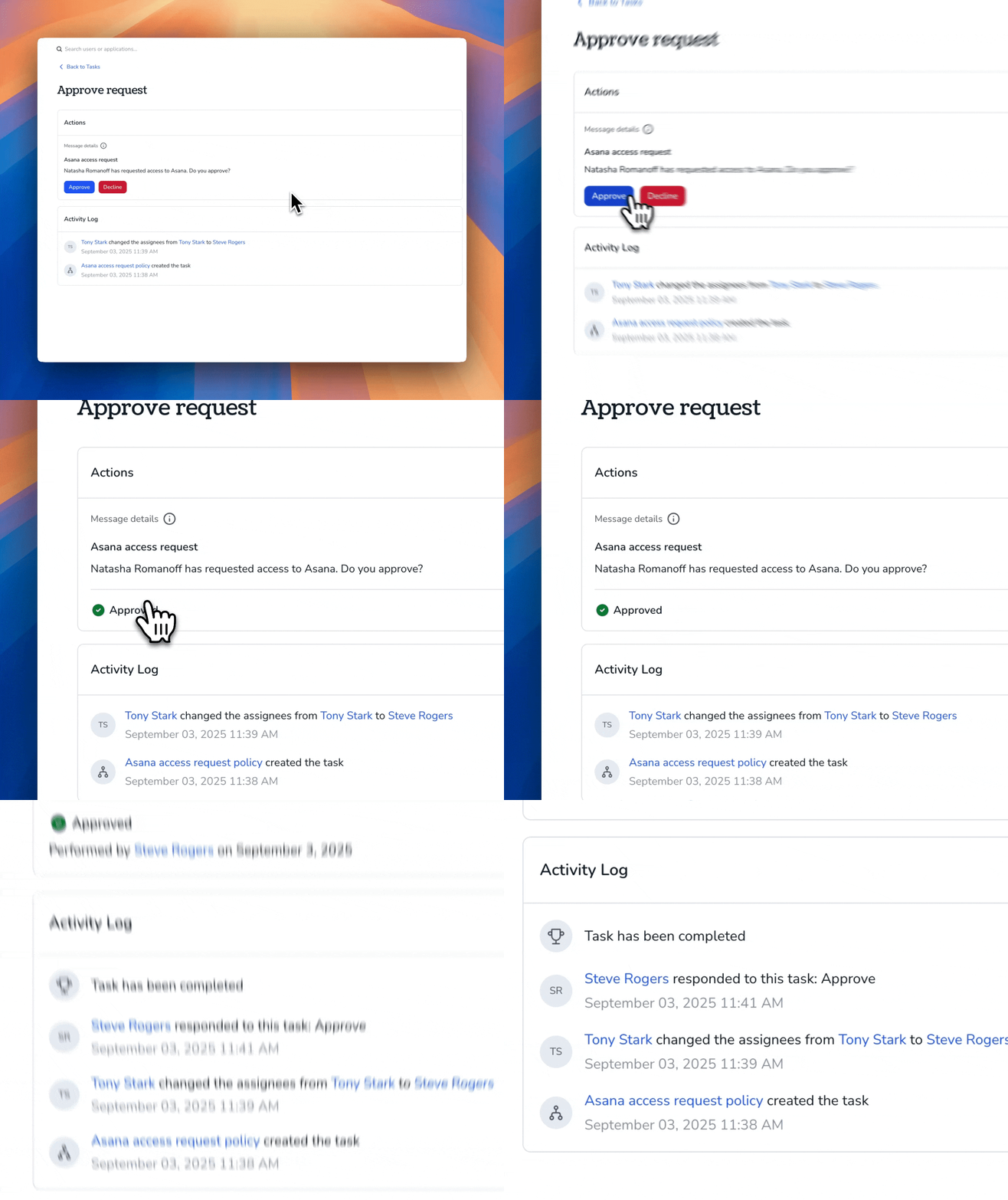
Key Features for Task Activity Log
- Complete Visibility: Shows every action taken on a task, including who made changes and when, for full transparency.
- Chronological Order: Lists all task events in the exact order they happened, making it easy to follow progress.
- Direct Access: Lets you view the entire activity log right on the Task Page without switching screens.
Why Task Activity Log Matters
- Complete transparency: Instantly see every action taken on a task, so nothing slips through the cracks.
- Clear accountability: Know exactly who made each change, making it easy to track progress and responsibility.
- Effortless context: Review the full task history in one place, so you always understand what happened and why.
- Faster troubleshooting: Quickly spot issues or bottlenecks by following the chronological sequence of updates.
- Seamless access: Check the activity log right on the task page—no extra clicks or searching required.
Availability:
Available to all customers