

SOC 2 Controls List: Criteria, Examples, and Best Practices
 John Baker
•
May 1, 2023
•
13 min read
•
Updated October 12, 2026
John Baker
•
May 1, 2023
•
13 min read
•
Updated October 12, 2026
A SOC 2 controls list by Trust Services Criteria (CC1 to CC9, availability, confidentiality, processing integrity, privacy) with example controls and evidence.
Ask about this article
Opens Claude in a new tab to answer, using this article as the source.
There is no official SOC 2 controls list. The AICPA publishes the Trust Services Criteria, and every company writes its own SOC 2 controls list to meet the criteria in scope for its report [1].
That flexibility means you start with a blank page, and the page keeps growing. AI tools, non-human identities like service accounts and API keys, and shadow SaaS all add systems, users, and vendors an auditor can ask about.
This guide gives you a starting point: the five Trust Services Criteria, a controls list for the common criteria (CC1 to CC9) with example controls and evidence, the same for the optional criteria, and seven best practices for running controls across teams.
What Is a SOC 2 Controls List?
A SOC 2 controls list is the set of policies, procedures, and technical safeguards your company runs to meet the Trust Services Criteria. The auditor evaluates each control and reports whether it was designed well and, for a Type 2 report, whether it operated effectively over time.
Three terms get mixed up:
- Criteria are the requirements the AICPA sets, such as CC6.2, which asks you to register and authorize new users before issuing credentials and granting access. You don't write these. You meet them.
- Points of focus describe what a good control under each criterion might address. They are guidance, not a checklist, but you should be able to explain why one doesn't apply.
- Controls are what your company actually does, in your own words. For example: "Access to production systems is requested in the ticketing system and approved by the system owner before it is granted."
One control can meet several criteria, and one criterion usually needs several controls. That's why two similar companies can end up with very different lists, and why a copied list rarely survives the first conversation with an auditor.
The Five Trust Services Criteria
Every SOC 2 report covers Security. The other four categories are optional, and you add them based on the commitments you make to customers.
| Category | Required? | What it covers | Criteria |
|---|---|---|---|
| Security | Yes, always | Protection against unauthorized access, disclosure, and damage | Common criteria CC1 to CC9 |
| Availability | Optional | The system is available for operation and use as committed | A1.1 to A1.3 |
| Processing Integrity | Optional | Processing is complete, valid, accurate, timely, and authorized | PI1.1 to PI1.5 |
| Confidentiality | Optional | Information designated as confidential is protected | C1.1 and C1.2 |
| Privacy | Optional | Personal information is handled in line with your commitments | P1 to P8 |
Source: AICPA, 2017 Trust Services Criteria (With Revised Points of Focus, 2022) [1].
A simple rule for the optional categories: if you promise uptime, add Availability. If customers rely on your calculations or transactions, add Processing Integrity. If you hold customer data under contract terms, add Confidentiality. If you collect personal information directly from individuals, consider Privacy.
SOC 2 Common Criteria Controls List (CC1 to CC9)
Because Security is always in scope, the common criteria are the core of every SOC 2 controls list. Here is what each series covers, common example controls, and the evidence auditors typically ask for.
| Criterion | What it covers | Example controls | Evidence auditors ask for |
|---|---|---|---|
| CC1 Control environment | Integrity and ethics, board oversight, reporting lines, competent people, accountability (CC1.1 to CC1.5) | Code of conduct acknowledged at hire; current org chart; background checks; security training | Signed acknowledgments, org chart, board minutes, training records |
| CC2 Communication and information | Quality information (CC2.1), internal communication (CC2.2), external communication (CC2.3) | Policies published to staff; a channel for reporting concerns; security commitments in customer contracts | Policies with version history, the reporting channel, customer terms |
| CC3 Risk assessment | Objectives (CC3.1), risk analysis (CC3.2), fraud risk (CC3.3), significant changes (CC3.4) | A risk register that includes fraud risk; a fresh review when the business changes | Risk register, signed risk assessment, treatment plans |
| CC4 Monitoring activities | Ongoing and separate evaluations (CC4.1), communicating deficiencies (CC4.2) | Internal control reviews; penetration tests; findings tracked to remediation | Pen test report, review results, remediation tickets |
| CC5 Control activities | Selecting controls (CC5.1), technology controls (CC5.2), policies and procedures (CC5.3) | A control matrix mapping risks to controls; policies with named owners; segregation of duties | Control matrix, approved policies |
| CC6 Logical and physical access | Access security, user provisioning and removal, physical access, disposal, data transmission, malware (CC6.1 to CC6.8) | SSO and MFA; approved access requests; access reviews; prompt deprovisioning; encryption; endpoint protection | User lists, access tickets, review sign-offs, terminations matched to HR records |
| CC7 System operations | Vulnerability and configuration monitoring, anomaly detection, incident evaluation, response, and recovery (CC7.1 to CC7.5) | Vulnerability scanning; logging and alerting; an incident response plan; post-incident reviews | Scan results, alert samples, incident tickets, tabletop records |
| CC8 Change management | Authorizing, testing, approving, and implementing changes (CC8.1) | Code review; testing before release; approval before production deploys | Approved pull requests, change tickets, deployment logs |
| CC9 Risk mitigation | Business disruption (CC9.1), vendor and business partner risk (CC9.2) | Business continuity plan; vendor inventory; vendor risk assessments; security terms in contracts | Continuity plan, vendor assessments, vendor SOC 2 reports, signed DPAs |
Source: criteria from AICPA, 2017 Trust Services Criteria (With Revised Points of Focus, 2022) [1]. Example controls and evidence are common practice, not AICPA requirements.
CC6 Logical and Physical Access Controls, Point by Point
CC6 has more individual criteria than any other common criteria series, and it's where SaaS and identity sprawl shows up first.
| Point | What it asks | Example controls |
|---|---|---|
| CC6.1 | Logical access security over software, infrastructure, and architectures, including an inventory of information assets | An inventory of systems and SaaS apps; SSO and MFA; network segmentation |
| CC6.2 | Register and authorize users before granting access; remove credentials when no longer authorized | Approved access requests; offboarding that covers every app |
| CC6.3 | Grant, change, and remove access based on roles, least privilege, and segregation of duties | Role-based access; limited admin rights; user access reviews |
| CC6.4 | Restrict physical access | Badge access; visitor logs; your cloud provider's SOC report for data centers |
| CC6.5 | Remove data before disposing of assets | Device wipes; certificates of destruction |
| CC6.6 | Protect against threats from outside the system boundaries | Firewalls; MFA on remote access |
| CC6.7 | Restrict transmission, movement, and removal of information | Encryption in transit; removable media rules; data loss prevention |
| CC6.8 | Prevent or detect unauthorized or malicious software | Endpoint protection; install restrictions; an approved app list |
Many of these depend on knowing what apps you have. An app an employee signed up for with a work email holds company data and has users. If it isn't in your inventory (CC6.1), it isn't in your access review (CC6.3) or on your offboarding checklist (CC6.2). The same goes for AI tools connected through OAuth and for unowned service accounts. For more on the review side, see why access reviews matter for SOC 2 compliance.
Controls List for the Additional Criteria
The optional categories add these criteria on top of the common criteria, not in place of them.
| Criteria | What it covers | Example controls |
|---|---|---|
| A1.1 | Capacity management | Capacity monitoring and alerts |
| A1.2 | Environmental protections, backups, recovery infrastructure | Automated backups; redundant hosting |
| A1.3 | Testing the recovery plan | Documented restore tests and recovery exercises |
| C1.1 | Identifying and maintaining confidential information | Data classification; NDAs with staff and vendors |
| C1.2 | Disposing of confidential information | Retention schedule; secure deletion at contract end |
| PI1.1 | Quality information about processing objectives | Documented specifications for inputs, processing, and outputs |
| PI1.2 to PI1.4 | Inputs, processing, and outputs | Input validation; reconciliations; exception handling |
| PI1.5 | Storing inputs, items in processing, and outputs | Access-controlled storage; retention rules |
| P1 and P2 | Notice; choice and consent | Published privacy notice; consent records |
| P3 and P4 | Collection; use, retention, and disposal | Collecting only what the stated purpose needs; deletion schedules |
| P5 and P6 | Access by individuals; disclosure and notification | A process for access and correction requests; breach notification procedure |
| P7 and P8 | Quality; monitoring and enforcement | Data accuracy checks; a privacy complaint process |
SOC 2 Type 1 vs Type 2 Controls
There is no separate SOC 2 Type 2 controls list. Both report types cover the same controls. What changes is the question the auditor asks:
- Type 1: are the controls designed to meet the criteria at a single point in time?
- Type 2: are they designed well, and did they actually run, every time, across the review period?
For a Type 2, the auditor samples evidence from across the period: new hires, departures, production changes. A departed employee who kept access to one app, or a skipped access review, shows up as an exception. That's why evidence collection has to be a habit, not a project.
How to Build Your SOC 2 Controls List
- Set the scope and system boundary. Decide which services, infrastructure, people, and data the report covers, which optional categories you're adding, and which vendors are carved out under their own SOC reports.
- Read the points of focus. For each criterion in scope, note which points of focus apply. They're the best hint you'll get about what an auditor expects.
- Write control statements. Each control needs an owner, a frequency, and the evidence it produces. "The IT manager reviews admin access to production on a set schedule and records it in the ticketing system" is testable. "We limit admin access" is not.
- Keep a control matrix. Map every control to its criteria, owner, frequency, and evidence in a spreadsheet or GRC tool. It's what you hand the auditor and what your team works from all year.
- Collect evidence continuously. Let systems record evidence as each control runs (tickets, logs, workflow histories) instead of gathering screenshots the week before fieldwork.
- Run a readiness review. Before the audit window opens, test a sample of controls internally or with your audit firm, and fix the gaps while they're cheap.
Your scope, asset inventory, access controls, and vendor list all depend on an accurate picture of the apps your company uses. See why SaaS management is important for SOC 2 compliance.
7 Best Practices for Managing SOC 2 Controls Across Teams
A SOC 2 report runs on proof. Promising that you follow your controls isn't enough. When we first went through our SOC 2 Type 2 audit as a small team of ten employees, we used our own product, Torii, to gather and store the proof we needed.
SOC 2 work spreads across IT, HR, Security, Finance, and Legal, which is where controls slip. Here are seven practices that help, with the criteria each one supports.
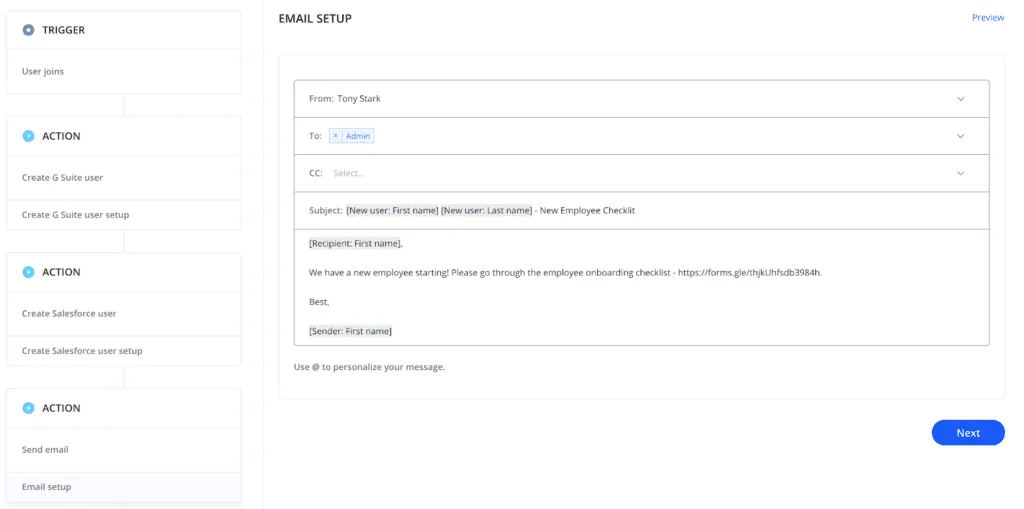
1. Automate Onboarding So Access Is Approved Before It Is Granted
Supports: CC6.2
Torii can manage onboarding as part of joiner, mover, and leaver governance. Beyond adding new employees to core tools before their first day, you can:
- Alert the right teams automatically when a new employee is starting
- Send a checklist of steps to be taken for the employee
- Send a checklist of steps to be taken by the employee
- Send employee responsibilities and company policies to the employee
- Add employees to user groups on different systems automatically
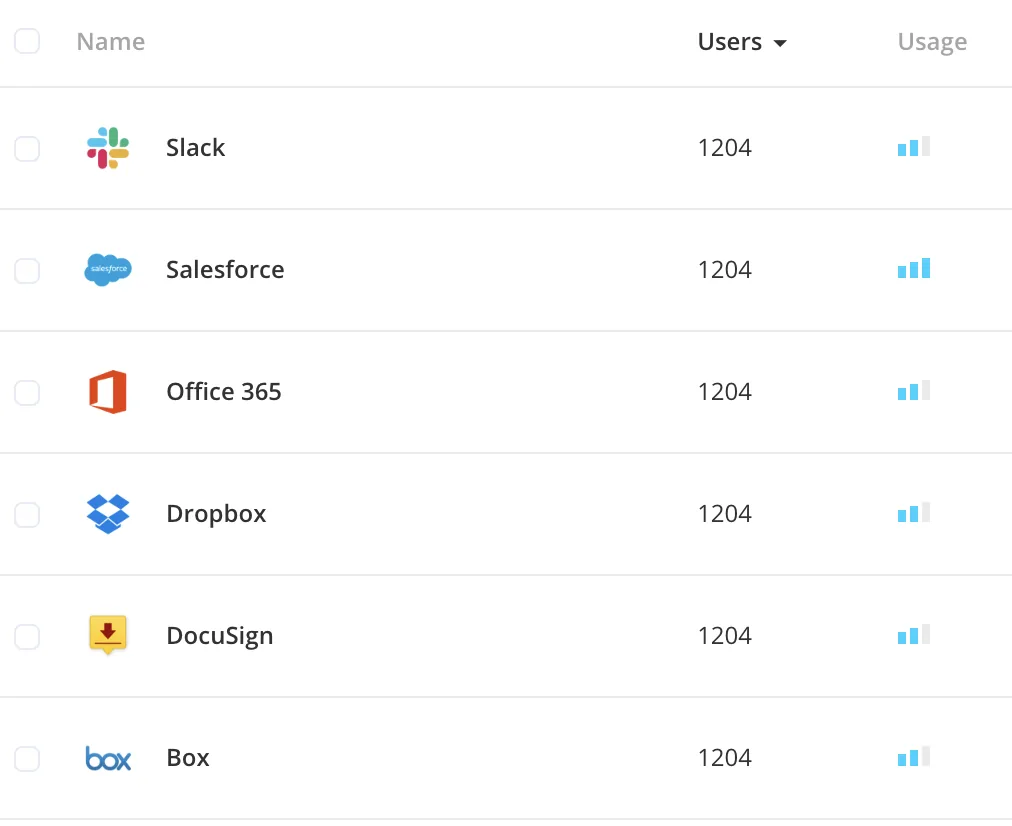
2. Run Access Reviews That Cover Every App, AI Tool, and Non-Human Identity
Supports: CC6.2 and CC6.3
Torii shows you the systems employees use from the day they join until the day they leave. For core tools, you see who is an active user and what access rights they have, so you can:
- Remove users who no longer need access to an application
- Remove admin rights from users who no longer need privileged access
- Add users and admins who should have access
- Set up a workflow that alerts you when an employee accesses a retired application
- Use the SSO audit report to see how employees sign in to each system
Don't stop at employee accounts. Include AI tools, which employees often connect on their own, and non-human identities such as service accounts and API keys. They hold access to company data too, and often have no clear owner.
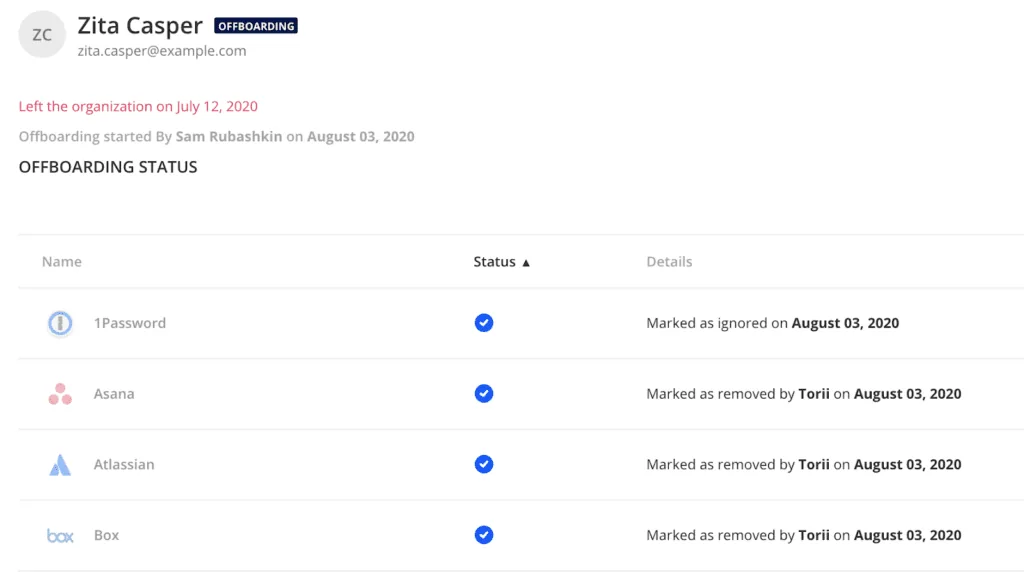
3. Fully Offboard Departing Employees
Supports: CC6.2 and CC6.3 (access removal)
Departures are a common source of exceptions, because one forgotten app is enough. Beyond automatically removing employees from core tools, Torii lets you:
- Send automated alerts to remove the employee from all applications
- Alert the people responsible for non-SaaS tasks, such as collecting hardware
- Automatically transfer files from one employee to another
- Get a real-time report and audit of each employee's offboarding
4. Track Vendors and Renewals in One Place
Supports: CC9.2
Vendor risk management starts with knowing who your vendors are. Torii stores each app's contracts, contacts, and use cases, and helps you manage contracts and renewals. Renewal notifications give you time to run a security review before you sign again. When you end a vendor relationship, you can close the application in Torii and keep its data for audit purposes.

5. Store NDAs and DPAs With Each Vendor
Supports: C1.1 and CC9.2
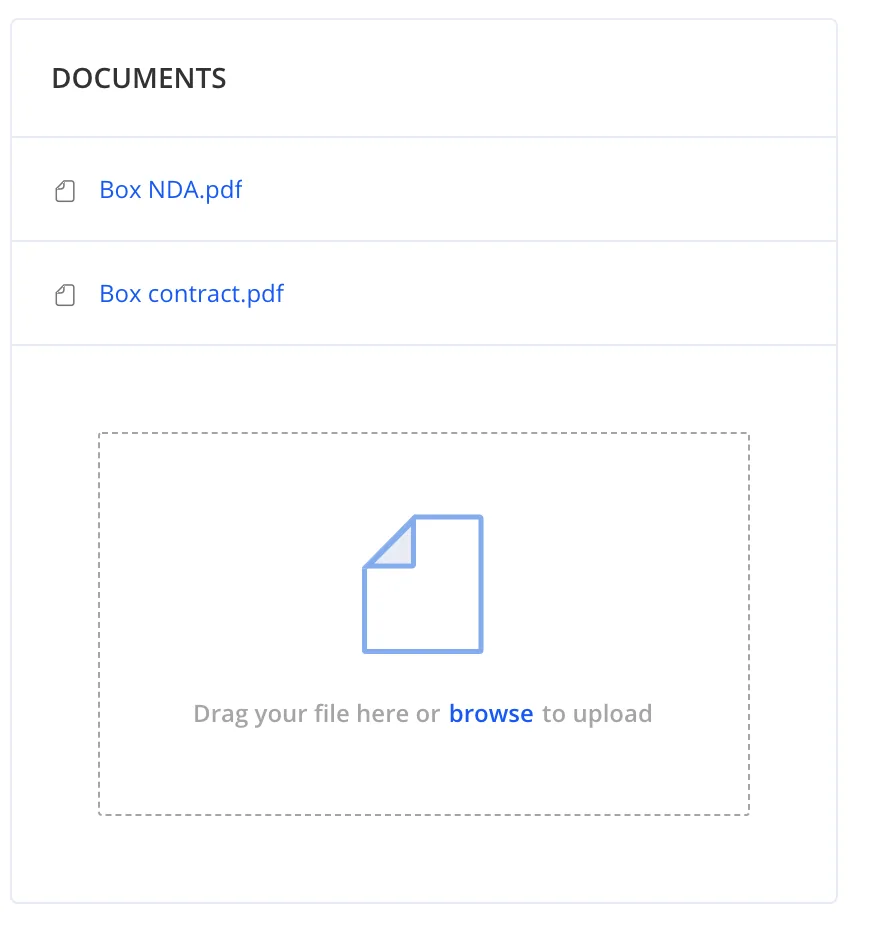
Your vendors need confidentiality commitments that match your own, which usually means signed NDAs and data processing agreements (DPAs). Store them at the application level in Torii, so every team can find them and you can pull them for the auditor without searching inboxes.
6. Keep an Audit Trail of Every Control Action
Supports: CC4.1, plus the evidence for CC6.2 and CC6.3
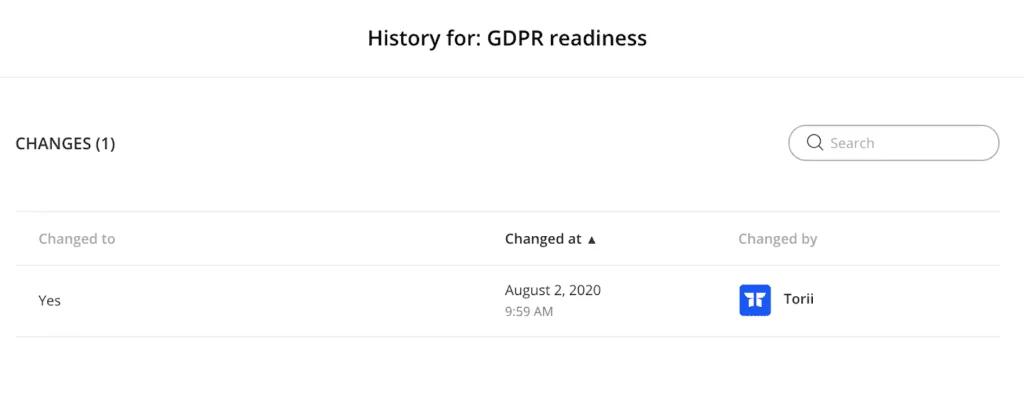
Having controls is half the work. Proving they ran is the other half. Torii records its automated work and every update made in the platform, so you have:
- Who was onboarded, and what actions were taken
- Who was offboarded, and what actions were taken
- All applications discovered
- All documents stored
- All information added, including who changed it and when
7. Keep a Single Source of Truth for Every App
Supports: CC6.1 (asset inventory)
Torii can be your source of truth for every SaaS application, including ones nobody bought through IT. One place for owners, users, contracts, and documents gives every team the same picture, gives you the asset inventory CC6.1 points to, and makes scoping your next report faster.
Planning for Your Next SOC 2 Audit
SOC 2 isn't a one-time project. Customers ask for a current report, so the work repeats, and each cycle brings new apps, AI tools, service accounts, and vendors into scope. Treat your controls list as a living document and let your systems produce evidence as they go, so the next audit is easier than the last.
See how Torii helps with SOC 2 preparation. Book a demo.
[1] AICPA, 2017 Trust Services Criteria (With Revised Points of Focus, 2022)
Frequently Asked Questions
There is no fixed number. The AICPA sets the Trust Services Criteria, and each company writes its own controls to meet the criteria in scope. The count depends on your systems, your size, and which optional categories you add, and one control can cover several criteria at once.
The common criteria are the Security requirements in every SOC 2 report, grouped as CC1 to CC9: control environment, communication and information, risk assessment, monitoring activities, control activities, logical and physical access, system operations, change management, and risk mitigation, which includes vendor and business partner risk.
Only Security is mandatory, and it is assessed through the common criteria CC1 to CC9. Availability, processing integrity, confidentiality, and privacy are optional. You add them based on the commitments you make to customers, such as uptime promises, transaction accuracy, contractual confidentiality, or collecting personal information directly from individuals.
The controls are the same. A Type 1 report tests whether your controls are designed well at a single point in time. A Type 2 report tests design plus operating effectiveness over a review period, so the auditor samples evidence showing each control actually ran every time it was supposed to.
Auditors ask for records that show each control ran: signed policy acknowledgments, access request tickets, access review sign-offs, offboarding records matched to HR terminations, change approvals, incident tickets, vendor assessments, and signed NDAs or DPAs. Evidence produced automatically by your systems is easier to trust than screenshots gathered before fieldwork.
SaaS management gives you an inventory of every app, its users, owners, and contracts. That supports asset inventory under CC6.1, access reviews and offboarding under CC6.2 and CC6.3, and vendor risk under CC9.2. Read more on why SaaS management matters for SOC 2.