

Best User Provisioning Software: 7 Tools Compared (2026)
 John Baker
•
Aug 10, 2026
•
15 min read
•
Updated August 10, 2026
John Baker
•
Aug 10, 2026
•
15 min read
•
Updated August 10, 2026

Compare 7 user provisioning software options for 2026, from Torii to Okta, Entra ID, and SailPoint, with pricing and where each one's SCIM coverage stops.
Ask about this article
Opens Claude in a new tab to answer, using this article as the source.
User provisioning is creating, changing, and removing app accounts as people join, move roles, and leave, and our user provisioning explainer covers the term. Most automated user provisioning software does that work over SCIM (System for Cross-domain Identity Management), the open standard apps use to take account changes from an identity provider (IdP).
Apps without a SCIM connector fall back to hand work. In Microsoft’s words, “Manual provisioning means there’s no automatic Microsoft Entra provisioning connector for the app yet. You must create them manually.” (Microsoft Learn). Leftover access is measurable too, since about 2.5% of seats in paid apps are still assigned to people who have left the company.
Source: Torii, 2026 SaaS Benchmark report, data January to December 2025.
These user provisioning tools differ in how far they reach past SCIM. Torii begins with an app inventory built from the IdP, SSO, a browser extension, and expense data. The identity providers work outward from their connector catalogs, and the rest build on roles, HR-triggered workflows, or access requests.
- Slack offers SCIM provisioning on the Business+ and Enterprise plans only.
- Notion offers SCIM on its Enterprise Plan only.
- Atlassian Cloud user provisioning requires Atlassian Guard Standard.
- Okta includes Lifecycle Management in Essentials ($17 per user/month) and sells it as an add-on to Starter ($6).
- Microsoft Entra ID starts HR-driven provisioning at P1 ($7 per user/month), plus a license for the cloud HR app.
Source: Slack Help Center, Notion Help Center, Atlassian Support, Okta pricing, Microsoft Entra pricing and Microsoft Learn, checked October 1, 2026.
★ = low · ★★ = medium · ★★★ = high
| Tool | HR triggers | Beyond SCIM | Discovery | Requests |
|---|---|---|---|---|
| Torii | ★★★ | ★★ | ★★★ | ★★ |
| Okta | ★★★ | ★ | Not rated | Not rated |
| Microsoft Entra ID | ★★★ | ★★★ | ★ | Not rated |
| JumpCloud | ★★ | ★ | ★★ | Not rated |
| SailPoint | ★★★ | ★★★ | ★★ | Not rated |
| BetterCloud | ★★★ | ★★ | ★ | Not rated |
| Lumos | ★★★ | Not rated | Not rated | ★★★ |
Ratings are Torii's editorial read of each vendor's product pages and docs as of October 1, 2026, and each one rests on the vendor's section below. "HR triggers" means joiner, mover, and leaver changes driven by the HR system, "Beyond SCIM" covers non-SCIM SaaS and on-premises systems, "Discovery" means finding unmanaged apps, and "Requests" means self-service access requests. "Not rated" means the pages we read don't cover that capability.
Torii
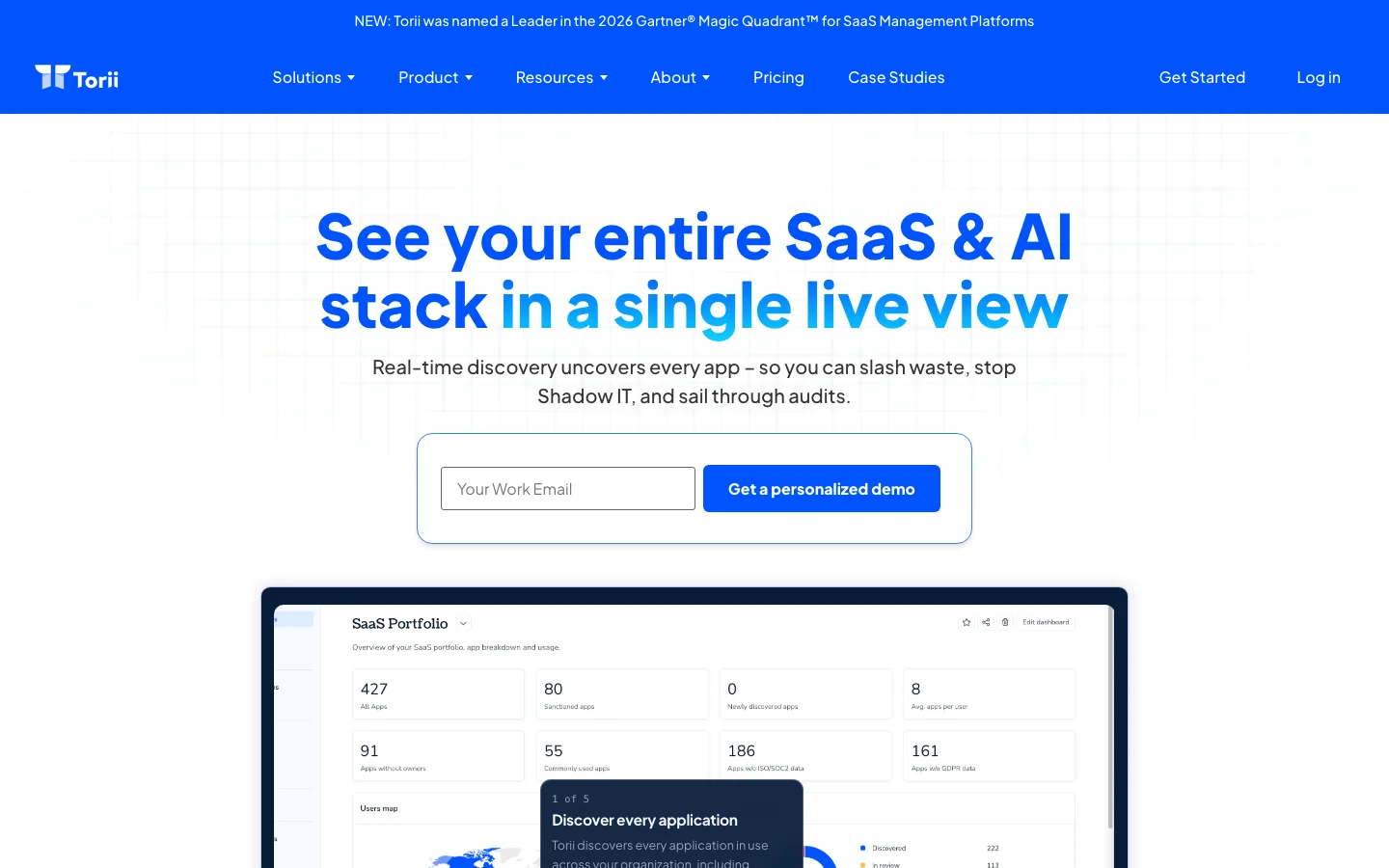
Torii fits teams that want the HR system to drive user provisioning across their apps, including the ones their identity provider has no connector for. It works alongside Okta, Microsoft Entra ID, or Google Workspace rather than replacing them, and its identity lifecycle workflows can create, deactivate, and delete users in all three. Each person’s status comes from the source of truth you pick, an HR system or an IdP, so with BambooHR in that seat a “User joins” workflow fires when Torii finds a new hire with a future start date, and a “User meets criteria” workflow can target active Sales users in Germany and create their Salesforce accounts.
Movers run on a “User attribute changed” trigger for department, manager, title, location, or employment status, and new access requests go through the App Catalog, where each access policy pairs an approval flow with a provisioning workflow. Discovery widens the list of apps those workflows act on, drawing on the IdP, SSO, the browser extension, desktop agents such as Jamf and Kandji, expense data (with the SaaS Management module), and direct integrations. Accounts seen only through the extension or SSO get their own offboarding method.
For each app, offboarding is set to one of three modes. Automatic covers integrated apps plus any app with a public REST or GraphQL API, through a custom HTTP request action, while Delegate sends the app owner a request by email or Slack or opens a ticket in Jira, ServiceNow, or Asana, and Ignore leaves the app to Okta or JumpCloud. Torii monitors the status of Jira Cloud issues, and for other delegated requests it relies on what the app owner reports. Real-time offboarding is limited to Google Workspace, Okta, and BambooHR (in beta), and other sources update once the source-of-truth app next syncs.
Pros:
- Joiner, mover, and leaver workflows triggered from BambooHR, HiBob, or the IdP
- Custom HTTP actions, plus delegated requests or tickets to the app owner, for apps the IdP has no connector for
- Shadow and unmanaged accounts brought into offboarding through discovery
- One offboarding run across all of a person’s apps, with a per-app audit log on the user page
Cons:
- Quote-only pricing, scoped for enterprise coverage instead of a low entry plan
- Cloud and SaaS apps only, with no on-premise deployment for legacy systems
G2: 4.5/5 (325 reviews). Checked October 1, 2026.
Torii maps your apps from your IdP, SSO, browser extension, and expense data, then runs joiner, mover, and leaver workflows from your HR system, with a request or ticket to the app owner wherever there's no connector. Book a Torii demo.
Okta
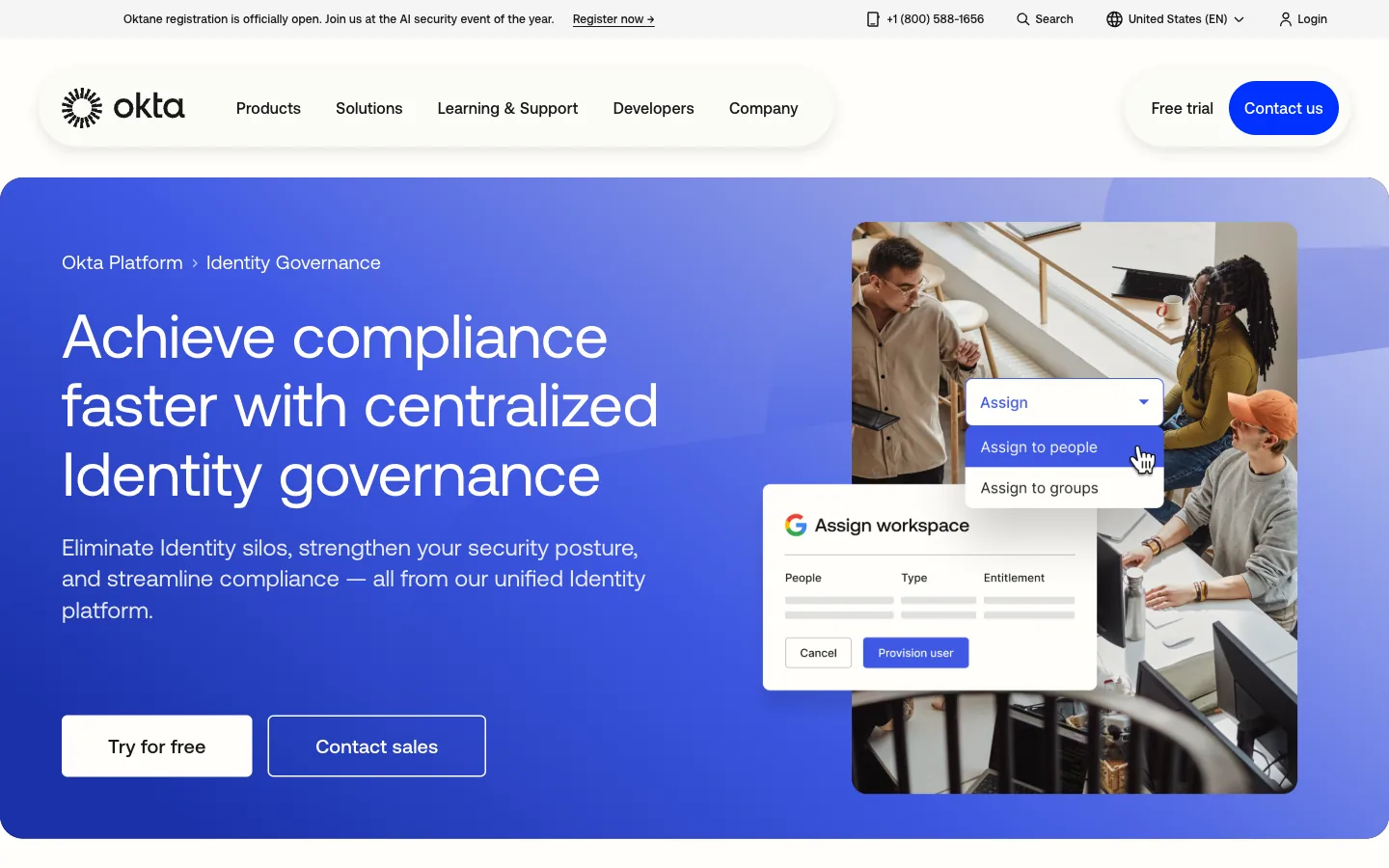
Okta Lifecycle Management suits companies that already run Okta for single sign-on and want the same tenant to create and remove accounts. Okta states the design in one line, “Okta uses your HR system (like Workday, BambooHR, or SuccessFactors) as the source of truth.” (Okta Lifecycle Management). From there, accounts flow over SCIM provisioning to apps in the Okta Integration Network, and a role change removes the old permissions while adding the new ones.
The gaps appear at the edge of that catalog, with the apps Okta has no ready connector for, and adding SCIM to a custom app means building an SSO integration that supports SCIM first. Okta’s pricing page lists Starter at $6 and Essentials at $17 per user per month billed annually, with Lifecycle Management included in Essentials, sold as an add-on to Starter, and bundled into the Okta Identity Governance add-on, all under a $1,500 annual contract minimum.
Pros:
- HR-sourced joiners and leavers from Workday, BambooHR, or SuccessFactors
- More than 8,000 pre-built integrations in the Okta Integration Network
- Single sign-on and provisioning managed in one tenant
Cons:
- Lifecycle Management needs Essentials or a paid add-on
- A custom app needs an SSO integration before it can use SCIM
- A $1,500 annual contract minimum
G2: 4.5/5 (1,427 reviews). Checked October 1, 2026.
Microsoft Entra ID
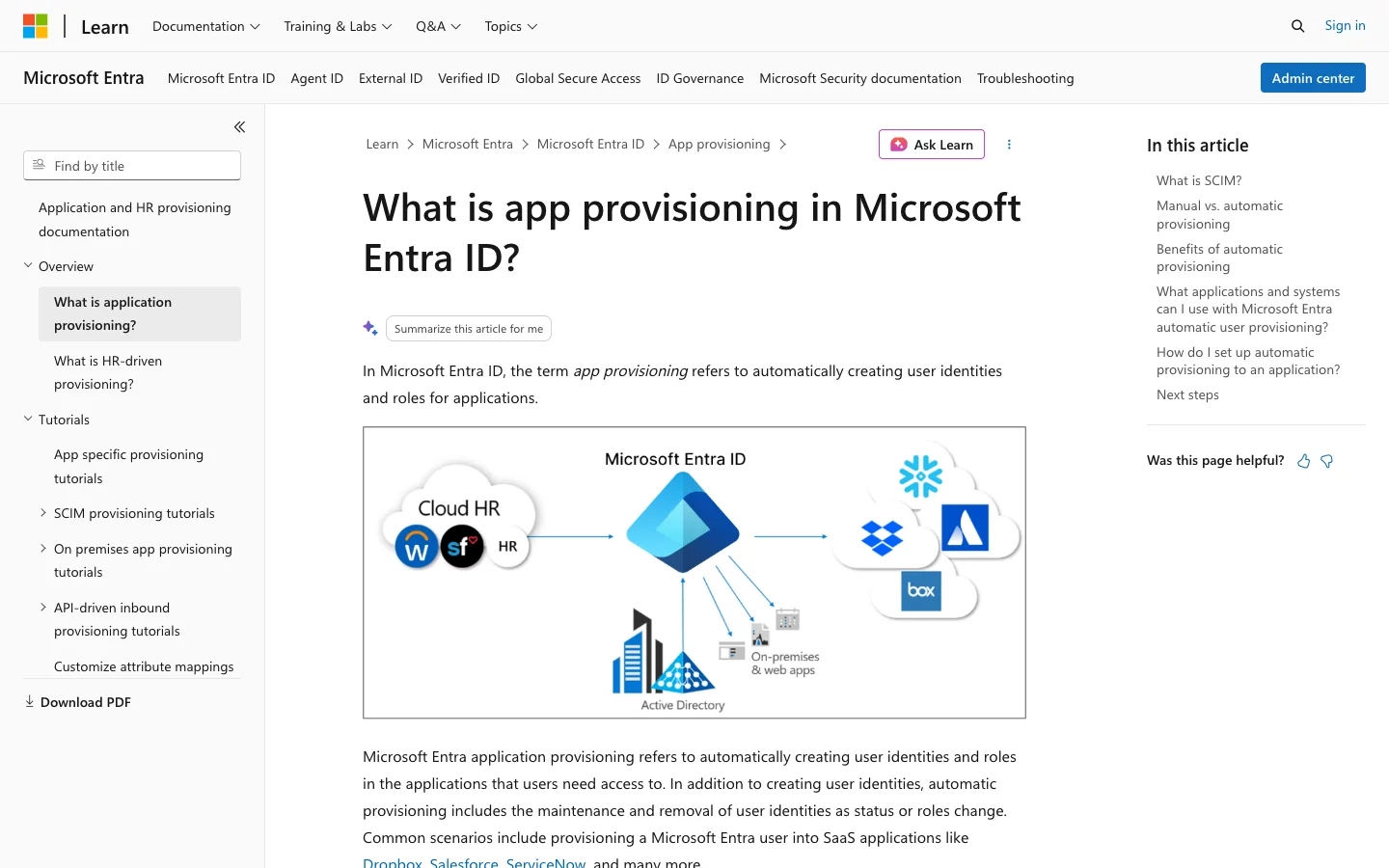
Microsoft Entra ID is the provisioning engine many Microsoft 365 customers already own, since P1 comes with Microsoft 365 E3 and Business Premium and P2 comes with E5, according to Microsoft’s Entra pricing page. HR-driven inbound provisioning pulls joiners and leavers from Workday or SuccessFactors, and an API-driven inbound option accepts any system of record. Microsoft Learn caps that API route at 2,000 calls per 24 hours per tenant on P1 or P2 and 6,000 on ID Governance, so size the HR feed against the tier before you build it.
Outbound, Entra supports SCIM, LDAP, SQL, REST, and SOAP connectors, plus custom connectors for on-premises apps. Each step up the licensing table adds more of the lifecycle, with group, HR-driven, and API-driven provisioning on P1 and Lifecycle Workflows on ID Governance or Entra Suite.
The Microsoft Entra pricing page lists P1 at $7, P2 at $10, and Entra Suite at $12 per user per month paid yearly, with ID Governance a $7 add-on for P1 and P2 customers. Account Discovery finds unmanaged accounts only inside apps already connected for provisioning, so apps Entra has never seen stay out of view.
Pros:
- P1 included with Microsoft 365 E3 and Business Premium
- HR-driven inbound provisioning from Workday or SuccessFactors
- SCIM, LDAP, SQL, REST, SOAP, and custom connectors, including on-premises apps
- API-driven inbound provisioning from any system of record
Cons:
- Lifecycle Workflows need ID Governance on top of P1 or P2
- Account Discovery covers only apps already connected for provisioning
G2: 4.5/5 (914 reviews). Checked October 1, 2026.
JumpCloud
JumpCloud puts the directory, device management, and SCIM app provisioning in one console, which suits a mid-market IT team that manages laptops and has no identity provider yet. Users come in from an HRIS (HR information system), with a prebuilt Workday path, and new hires can wait in a STAGED state that keeps them off outbound SCIM apps until someone activates them. Custom SCIM connectors cover apps outside the catalog that still speak the standard.
Connector depth varies by app, because not every connector supports creating, updating, and deprovisioning users. Where one does deprovision, JumpCloud’s documentation spells out what happens, saying “the user is deactivated in the application; the account still exists in the application, but it is placed in an inactive state.” (JumpCloud Documentation). Check each connector before you count a leaver as fully removed.
JumpCloud publishes more of its price list than most vendors in this comparison. Its pricing page shows packages from $9 to $13 per user per month billed annually and User Lifecycle Management a la carte from $3 per user per month, with Platform tiers by quote, SaaS Discovery only in Platform Prime, and a 30-day free trial.
Pros:
- Directory, devices, and SCIM provisioning in one console
- STAGED users stay off outbound apps until activation
Cons:
- Connectors differ in which provisioning actions they support
- Deprovisioning deactivates the account rather than deleting it
- SaaS Discovery is limited to the Platform Prime tier
G2: 4.5/5 (4,109 reviews). Checked October 1, 2026.
SailPoint
SailPoint Human Fabric, formerly Identity Security Cloud, provisions by policy, with roles that carry attribute rules and grant their entitlements to anyone who matches. The SailPoint docs cover the reverse case as well: “Additionally, when a user no longer meets the criteria, Identity Security Cloud deprovisions the role and its associated access profiles.” Lifecycle states then revoke access or disable accounts for leavers, and IdentityIQ is still sold for complex enterprises.
On older systems, SailPoint goes further than the SaaS-first provisioning tools on this list. A customer-run Linux Virtual Appliance connects on-premises apps, and SailPoint pitches RPA (robotic process automation, software bots that work an app’s screens) and automation for disconnected and legacy systems. For discovery, SailPoint’s connectivity page claims visibility into shadow IT and AI tools, though provisioning still runs connector by connector.
Pricing is quote-based, and the fit is a large, regulated identity program where every app is a connector project. Readers weighing full suites can compare it with others in our guide to SaaS IGA platforms.
Pros:
- Role policies that provision and deprovision by user attribute
- On-premises and legacy reach through the Virtual Appliance and RPA
- Visibility into shadow IT and AI tools, per its connectivity page
Cons:
- No public pricing
- Each app is a connector project for the identity team to plan
G2: 4.6/5 (241 reviews). Checked October 1, 2026.
BetterCloud
For provisioning, the part of BetterCloud to evaluate is User Automation, where an HRIS event starts an onboarding, offboarding, or mid-lifecycle workflow. If/else branches, dynamic fields, and scheduled runs shape what happens next, and the engine draws on 100+ integrations and 1,000+ actions, according to the BetterCloud site. It goes deepest in Google Workspace, where a dedicated Workspace Management module and a File Governance module sit next to the lifecycle workflows.
BetterCloud provisions the apps you connect, and its discovery leans on those same connections, with no browser extension or desktop agent shown on its product pages. Anything outside the integration catalog needs another source to surface it.
Pricing is a custom quote built from license count, connected apps, chosen modules, and add-ons. A team that works in the Google Admin console all day can still find the Workspace depth worth the narrower discovery.
Pros:
- HRIS-triggered workflows with branching, dynamic fields, and scheduling
- More than 1,000 prebuilt actions across its integrations
- A dedicated Google Workspace management module
- Role changes handled in the same builder as joiners and leavers
Cons:
- Provisions only the apps you connect to its integration catalog
- A quote that depends on several variables, so early estimates are hard
G2: 4.4/5 (486 reviews). Checked October 1, 2026.
Lumos
Lumos starts from the access request rather than the hire date, which changes who kicks off most provisioning. Employees ask for apps in the Lumos AppStore or from Slack, Teams, a CLI, or the ITSM tool (the IT service desk), grants can be time-bound and revoke on their own, and the Albus AI agent pre-decides routine requests. Request volume is climbing, too, since Okta’s Businesses at Work 2026 report found the average number of access requests per company more than doubled in the past year.
Behind the AppStore, HRIS events drive joiner, mover, and leaver changes, and access reviews run across 300+ integrations, by Lumos’s own count. Lumos is an identity governance product with no spend or license module, so a team that wants seat counts next to access decisions will run a second tool. That trade-off weighs less on a security team that measures request turnaround than on an IT team that reports on license spend. Pricing isn’t public, and the pricing page routes buyers to a demo.
Pros:
- Self-service requests from the AppStore, Slack, Teams, a CLI, or the ITSM tool
- Time-bound grants that revoke automatically
- An AI agent that pre-decides routine requests
Cons:
- No spend or license module
- No public pricing
G2: 4.7/5 (69 reviews). Checked October 1, 2026.
How to Choose User Provisioning Software
Run one test before any demo: list your apps, mark which ones support SCIM on the plan you actually pay for, and count what’s left. That remainder is the work your user provisioning tool has to handle some other way, by a connector, an API call, or a ticket to the app owner.
A short remainder, on top of an IdP that covers everything else, is usually work for the IdP’s own lifecycle tier. A long one, or one with apps nobody has inventoried yet, needs a user provisioning system that does its own discovery.
Then match the tool to the stack you already run. An Okta SSO shop gets the most from Okta Lifecycle Management, a Microsoft 365 company on E3 or Business Premium already owns Entra ID P1, and a team with laptops to manage and no identity provider fits JumpCloud.
SailPoint fits a regulated enterprise with on-premises systems and BetterCloud a team whose daily work is Google Workspace administration, while a help desk buried in access requests will get more out of Lumos. Torii fits when HR-driven changes have to reach the apps your IdP can’t, starting from a full inventory of what people use. Teams onboarding AI tools specifically can start with our guide to AI tool onboarding and provisioning platforms.
- Apps without SCIM Which of your apps it provisions with no SCIM connector, and how
- Apps it can't reach Whether those get a ticket, a request to the owner, or nothing
- Delete or deactivate What deprovisioning does to the account inside each app
- The tier that includes HR-driven provisioning Which plan or add-on you need before the HR system can trigger changes
- Real-time offboarding sources Which systems trigger removal immediately and which wait for a sync
Ask each vendor to answer those questions against your own remainder list, because a demo built on apps the vendor already connects won’t show how it handles the gaps.
Frequently Asked Questions
The right pick depends on the stack you run. Okta Lifecycle Management fits Okta SSO shops and Entra ID fits Microsoft 365 companies. For enterprises with on-premises systems, look at SailPoint, and for teams flooded with access requests, Lumos. Torii is built for HR-driven joiner, mover, and leaver changes that must reach apps with no identity provider connector.
Most identity provider connectors do. Microsoft says a new Entra provisioning connector needs the app to expose a SCIM-compliant endpoint, and apps without one get accounts by hand. Torii covers part of that gap with a custom HTTP request action for any app with a public REST or GraphQL API, and a delegated request or ticket to the app owner for the rest.
Entra ID P1. Microsoft Learn says HR-driven provisioning needs an Entra ID P1 or P2 license plus a license for the cloud HR app, such as Workday or SuccessFactors. The Microsoft Entra pricing page lists P1 at $7 per user per month, and Lifecycle Workflows need the ID Governance add-on or the Entra Suite.
Published prices start low and climb with lifecycle features. Okta includes Lifecycle Management in Essentials at $17 per user per month, Entra ID P1 lists at $7, and JumpCloud sells User Lifecycle Management from $3, all billed yearly. Torii, SailPoint, BetterCloud, and Lumos price by quote, so count your apps before asking.
Not always. JumpCloud's documentation says its connectors deactivate the user, leaving the account in an inactive state. In Torii, each app gets its own offboarding mode: automatic removal through an integration or custom action, a delegated request or ticket to the app owner, or Ignore for apps the identity provider already handles.
No. Torii is not an identity provider and works alongside one. Its workflows can create, deactivate, and delete users in Okta, Microsoft Entra ID, and Google Workspace, while its discovery adds apps found through the browser extension, desktop agents, and expense data, so offboarding can include apps the identity provider never sees.