

Best Microsoft 365 Access Review Platforms in 2026
 Chris Shuptrine
•
Mar 23, 2026
•
21 min read
Chris Shuptrine
•
Mar 23, 2026
•
21 min read

Compare 9 access review platforms for Microsoft 365 in 2026, covering license governance, admin role certification, and SaaS access reviews.
Ask about this article
Opens Claude in a new tab to answer, using this article as the source.
Microsoft 365 tenants accumulate access debt faster than most IT teams realize. CoreView’s 2025 State of Microsoft 365 Security survey found that 57% of organizations have overprivileged admins. Every new hire gets an E3 or E5 license, joins a handful of Teams channels, receives SharePoint site permissions, and lands in a few Microsoft 365 groups before lunch on their first day. Over the following months, those permissions spread. Shared mailboxes get added. Guest accounts multiply as external contractors join project channels. Admin roles get assigned temporarily and never revoked. By the time an annual audit arrives, the gap between intended access and actual access can be enormous.
The challenge specific to Microsoft 365 is the sheer surface area. A single user’s access footprint spans Exchange Online, SharePoint Online, OneDrive for Business, Teams, Power Platform, and potentially dozens of other Microsoft services bundled under one license umbrella. Microsoft’s own Entra ID Access Reviews handle some of this natively, but they come with a paid license. Microsoft’s docs say the feature “requires Microsoft Entra ID Governance or Microsoft Entra Suite subscriptions, for your organization’s users” (Microsoft Learn). The reviews focus primarily on group memberships and application assignments, and have known gaps around OneDrive account-level reviews and nested group memberships. Guest users and shared mailboxes sit in particularly tricky blind spots that Entra’s built-in tools don’t fully cover.
Microsoft 365 admin roles carry broad, cross-service permissions that a single misconfigured assignment can amplify across the tenant. Global Admin, Exchange Admin, SharePoint Admin, and Teams Admin each control different slices of the environment, and most organizations accumulate more role holders than they need. License types (E1, E3, E5, Business Basic, Business Standard, Business Premium) determine which services a user can reach, making license governance a direct input to access reviews. Shared mailboxes, Microsoft 365 groups, and guest accounts create access paths that don't always appear in standard identity provider views.
The platforms in this comparison take distinct approaches to M365 access governance. Some connect directly to tenant data for structured certification campaigns, while others specialize in discovering shadow access or using AI to automate review decisions. The sections below break down what each one does for Microsoft 365 specifically, along with pricing and review ratings.
★ = low · ★★ = medium · ★★★ = high
| Tool | Ease | Cost | AI Capabilities | Reviews |
|---|---|---|---|---|
| Torii | ★★★ | ★★ | ★★★ | ★★★ |
| Nudge Security | ★★★ | ★★ | ★ | ★ |
| Lumos | ★★ | ★★ | ★★★ | ★ |
| Okta Lifecycle Management | ★★★ | ★ | ★★ | ★★ |
| SAP Cloud IAG | ★ | ★ | ★★ | ★★ |
| SailPoint IdentityIQ | ★ | ★ | ★★★ | ★★ |
| One Identity | ★ | ★★ | ★★ | ★★ |
| Saviynt | ★★ | ★ | ★★★ | ★★ |
| MiniOrange | ★★★ | ★★★ | ★ | ★ |
Table of Contents
- Torii
- Nudge Security
- Lumos
- Okta Lifecycle Management
- SAP Cloud Identity Access Governance
- SailPoint IdentityIQ
- One Identity
- Saviynt
Torii
Torii’s Microsoft 365 integration surfaces employee name, email, title, department, user status, license assignment, license types, and historical usage data within the access review workflow. A reviewer looking at an E5 license holder can immediately check whether that person actually uses the premium features bundled into the license, or whether an E3 assignment would be sufficient. Torii layers department and role context on top of that license data, turning every M365 certification campaign into a combined security and cost optimization exercise.
The platform’s AI flags anomalies that are easy to miss in a manual review. A marketing coordinator with Exchange Admin privileges shows up as a mismatch. A contractor account that hasn’t logged into Teams in four months but still holds a Business Premium license gets flagged for reclamation. Torii routes those findings to the right reviewer automatically, whether that’s the user’s manager, the IT security team, or the M365 tenant admin, depending on the type of access in question.
Most of the IGA tools on this list govern M365 as one application among many, but Torii adds a SaaS management layer on top of identity governance. The same platform tracking M365 licenses and admin roles also monitors Slack, Salesforce, and 200+ other integrations. That consolidated view matters during certification campaigns because a user’s M365 access risk often correlates with what they can reach across the rest of the SaaS stack. Torii was named a Leader in the 2026 Gartner Magic Quadrant for SaaS Management Platforms and has a 4.5-star G2 rating across 302 reviews.
Pros:
- Pulls employee name, email, title, department, status, license type, and historical usage from Microsoft 365
- AI detects anomalous admin role assignments and routes reviews to the right owner
- Automated license reclamation identifies underused E3 and E5 seats for cost savings
- Runs SaaS management and identity governance in one platform, so M365 reviews don’t need a separate tool
Cons:
- Not the lowest-cost option in this comparison; positioned for mid-market and enterprise budgets
- Cloud and SaaS focused with no on-premise deployment option
G2 Rating: 4.5/5 (302 reviews) · Capterra Rating: 4.9/5 (26 reviews)
Nudge Security
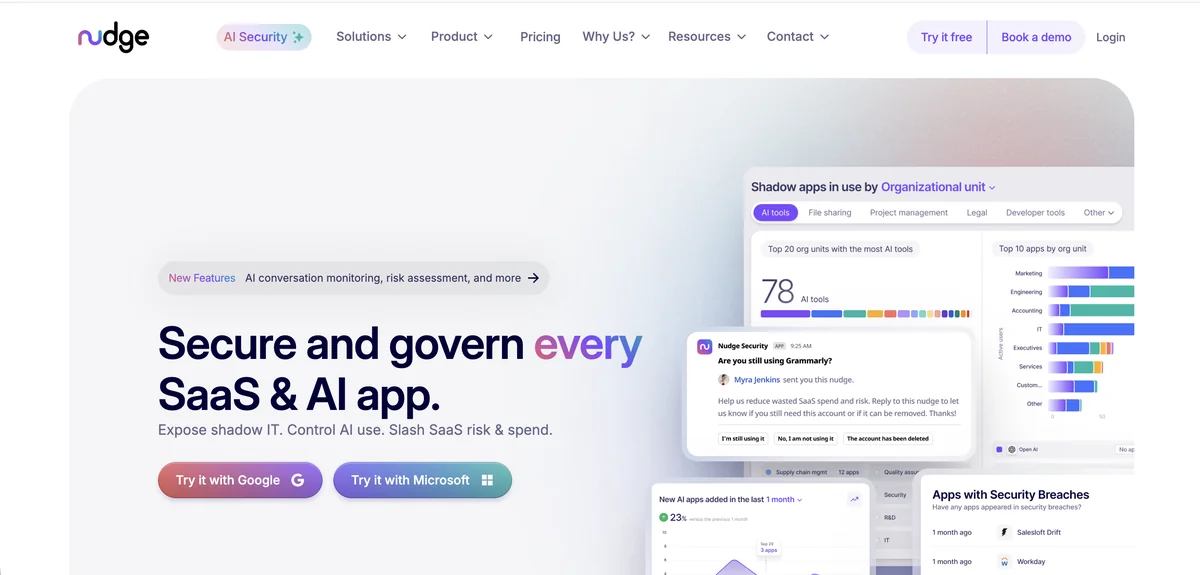
Microsoft 365 tenants are where Nudge Security’s email-based discovery method delivers the most direct value, since M365 mailboxes are the exact data source the platform scans. Every account creation confirmation, login notification, and OAuth grant that flows through Exchange Online feeds into the discovery engine. That means Nudge can build a complete inventory of SaaS accounts created by M365 users, mapping not just who has access to M365 itself, but what other applications each employee has connected through their Microsoft identity.
The shadow IT visibility is particularly relevant for M365 environments because Microsoft’s own admin center shows you who holds licenses and what roles they carry, but it doesn’t tell you what third-party apps employees have authorized through their M365 credentials. OAuth consent grants in Entra ID are notoriously hard to audit at scale, and Nudge picks those up through the email trail they generate. The offboarding playbook catches all of a departing employee’s SaaS accounts tied to their M365 identity, preventing the common scenario where someone’s M365 account gets disabled but their OAuth tokens continue authenticating to external services.
Nudge Security says the app inventory starts filling in within minutes of connecting the email provider. The platform’s behavioral nudges prompt users to confirm or revoke access through Slack or email. Supply chain breach alerts notify your security team when a vendor connected through M365 OAuth grants reports an incident.
Pros:
- Native M365 integration provides the deepest shadow IT discovery since M365 mailboxes are the primary data source
- Maps all OAuth consent grants authorized through Microsoft identities across third-party apps
- Offboarding playbook prevents orphaned OAuth tokens from persisting after M365 account deactivation
Cons:
- Nudges are behavioral, not mandatory; users can ignore cleanup prompts without enforcement
- Limited public review data makes it harder to validate the platform before purchase
G2 Rating: 5.0/5 (limited reviews) · Gartner Rating: 4.7/5 (22 reviews)
Lumos
Microsoft 365 includes dozens of built-in admin roles with varying levels of tenant-wide permissions. Microsoft's own guidance is blunt: "Microsoft recommends that you use roles with the fewest permissions, and that you limit the number of users who have administrative permissions" (Microsoft 365 admin docs). Global Administrator has unrestricted access to all settings and data. Exchange Administrator controls mail flow, transport rules, and mailbox permissions. SharePoint Administrator manages site collections, sharing policies, and storage quotas. Teams Administrator governs channel policies, meeting settings, and app permissions. An effective M365 access review needs to evaluate both license assignments and admin role memberships, since over-provisioned admin roles create significantly more risk than excess standard user licenses.
Lumos connects to Microsoft 365 through its integration library and maps user accounts, license assignments, group memberships, and admin role assignments into a centralized view. The Albus AI agent is what differentiates the review process. During an M365 certification campaign, Albus compares each user’s license tier and admin role assignments against peers in the same department and flags deviations. A finance team member holding a Teams Administrator role while none of their peers do gets surfaced for review automatically, without a human needing to manually scan role assignment reports.
Delta Reviews reduce the burden of recurring M365 audits by only surfacing what changed since the last cycle. New license assignments, role changes, group additions, and deactivated accounts appear without re-certifying the entire tenant user base. For organizations running quarterly M365 access reviews, that approach cuts campaign time substantially while still catching access drift between cycles.
The self-service access portal also handles M365 provisioning requests, reducing IT ticket volume when employees need license upgrades or group memberships. The platform carries a 4.7-star rating on both G2 (54 reviews) and Gartner Peer Insights (47 reviews).
Pros:
- Albus AI flags M365 admin role deviations and license tier anomalies based on peer group comparison
- Delta Reviews focus recurring M365 audits on only changed accounts, roles, and group memberships
- Self-service portal reduces IT tickets for M365 license upgrades and group access requests
- One-click compliance reports for SOC 2, SOX, ISO 27001, and HIPAA covering M365 access data
Cons:
- No free trial available; evaluating the platform requires engaging the sales team first
- No live chat support channel; complex M365 integration issues route through self-service resources
- Cloud and SaaS focus means limited visibility into on-premises Exchange or SharePoint Server
- Steeper learning curve than marketing materials suggest for complex M365 certification setups
G2 Rating: 4.7/5 (54 reviews) · Gartner Rating: 4.7/5 (47 reviews)
Okta Lifecycle Management
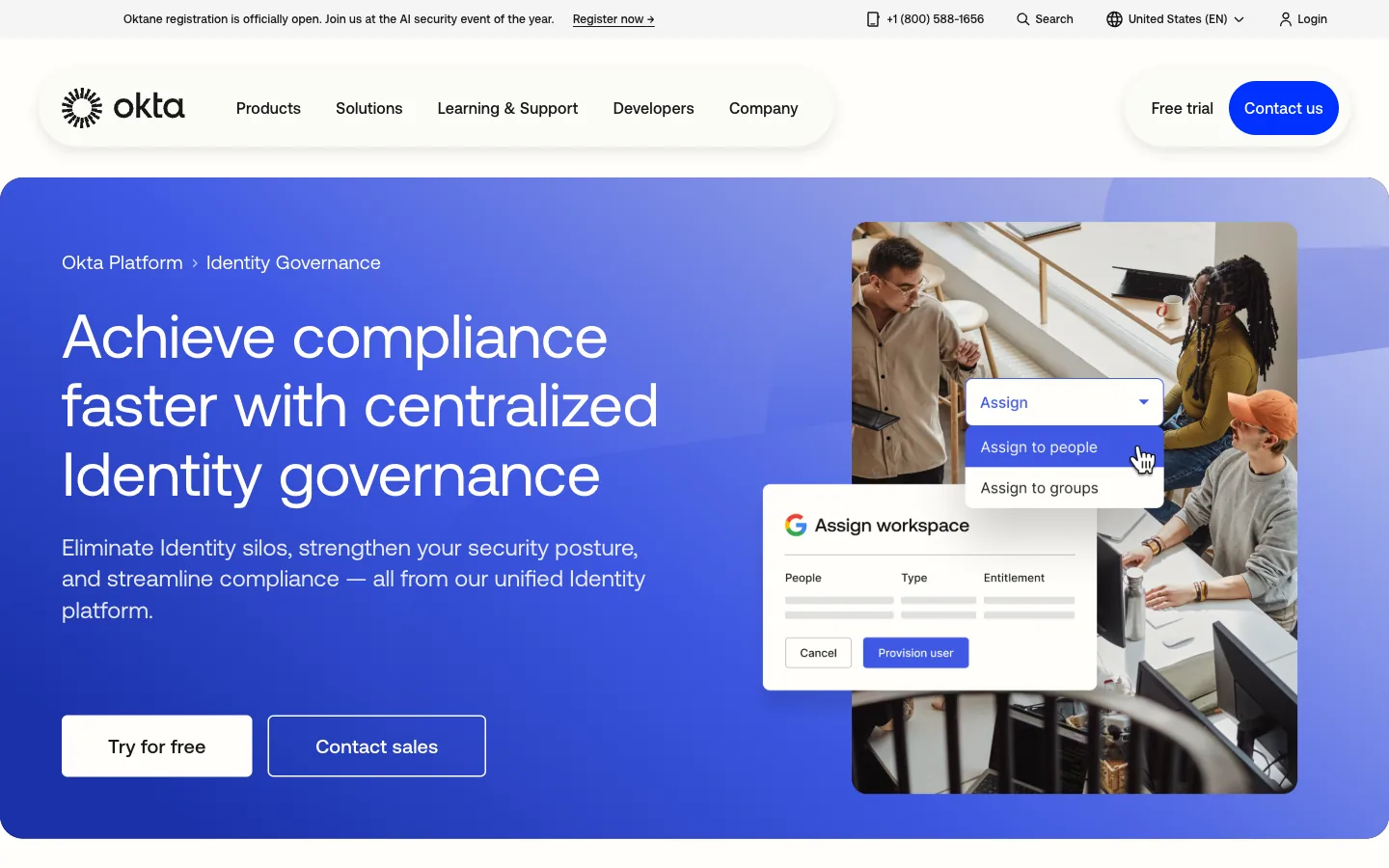
Okta and Microsoft 365 share one of the most mature integration relationships in the identity management space. The Okta Integration Network includes deep provisioning support for M365, handling user creation, license assignment, group membership management, and deprovisioning through SCIM. Organizations that already use Okta as their primary identity provider get M365 access reviews as a natural extension of their existing governance program, since Okta already holds the authoritative identity data that feeds into certification campaigns.
The Identity Governance (OIG) module adds structured access certification on top of that provisioning layer. Reviewers see which M365 licenses each user holds, what admin roles they carry, and which Microsoft 365 groups they belong to, all within the Okta admin console. The 2025 Security Access Reviews feature adds event-triggered reviews, so when a user gets assigned Global Administrator or when their department changes in the HRIS, Okta can automatically initiate a targeted review rather than waiting for the next scheduled campaign. AI-generated access summaries give reviewers context about each user’s M365 access history before they make a certification decision.
Okta carries a 4.5-star G2 rating from 1,257 reviews and a 4.7-star Capterra rating from 914 reviews. The no-code Workflows engine allows custom automation for M365-specific governance scenarios without developer involvement.
Pros:
- Deep SCIM integration with M365 handles provisioning, license assignment, and group management natively
- Event-triggered Security Access Reviews (2025) initiate M365 certifications based on role changes in real time
- 7,000+ integrations mean M365 reviews can run alongside governance for the rest of the SaaS stack
- No-code Workflows engine creates custom M365 governance automation without developer resources
Cons:
- Identity Governance requires the full OIG bundle purchase; not available as a standalone M365 add-on
- Group-based provisioning model limits fine-grained M365 permission reviews below the role level
- Cannot discover M365 local accounts or service principals that bypass Okta SSO
- Higher per-user cost at scale compared to cloud-native IGA alternatives
G2 Rating: 4.5/5 (1,257 reviews) · Capterra Rating: 4.7/5 (914 reviews)
SAP Cloud Identity Access Governance
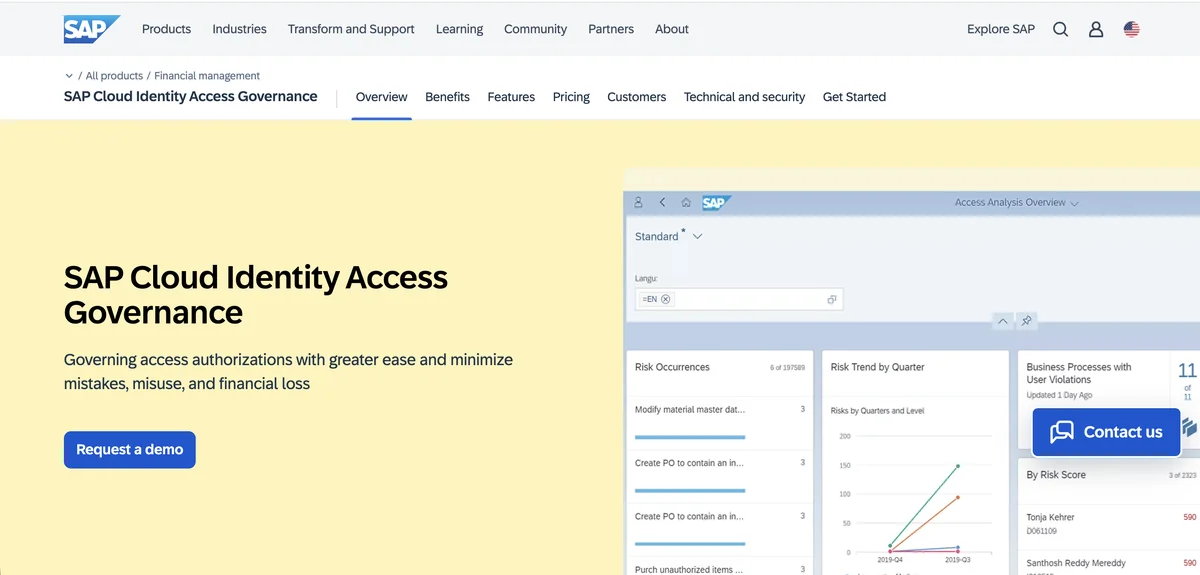
SAP Cloud IAG connects to Microsoft 365 through SCIM-based integrations that bring M365 user accounts and access data into the same governance framework managing SAP applications. For organizations running both SAP and Microsoft 365 as core platforms, that unified coverage eliminates the need for separate access review processes across the two ecosystems. The Access Certification service runs periodic reviews covering M365 alongside SAP Ariba, SuccessFactors, and S/4HANA Cloud, so a single campaign can certify a user’s access across their entire enterprise application footprint.
The segregation of duties (SoD) engine is where SAP IAG adds a layer most M365-only tools don’t address. Cross-system SoD rules can flag conflicts between M365 admin roles and SAP transaction authorizations, catching risk combinations that wouldn’t surface in a platform reviewing each system independently. A user holding both SAP financial posting authorization and M365 Global Administrator access creates a compliance risk that only a cross-application governance view can detect.
SAP IAG carries a 3.0-star G2 rating with limited reviews and a 4.4-star Gartner Peer Insights rating from 114 reviews. The platform is built on SAP Business Technology Platform and receives automatic updates.
Pros:
- Cross-system SoD rules detect conflicts between M365 admin roles and SAP authorizations
- Single certification campaign covers M365 alongside SAP Ariba, SuccessFactors, and S/4HANA Cloud
Cons:
- Limited value for organizations without significant SAP ecosystem investments
- Complex product with a steep learning curve requiring specialized SAP knowledge
- Enterprise-level pricing not suitable for small or mid-market businesses
- Public cloud only with no private cloud or on-premise deployment options
G2 Rating: 3.0/5 (limited reviews) · Gartner Rating: 4.4/5 (114 reviews)
SailPoint IdentityIQ
SailPoint treats Microsoft 365 as one node in a broader identity governance program covering hundreds or thousands of applications. The platform’s M365 connector pulls user accounts, license assignments, group memberships, directory roles, and mailbox permissions into IdentityIQ’s entitlement model. That granularity is the distinguishing factor. Rather than certifying that a user “has M365 access,” reviewers can drill into whether that user holds a specific SharePoint site collection administrator role or owns a distribution list that grants access to sensitive financial reporting emails.
The AI recommendation engine applies peer group analysis to M365 access specifically. When the system identifies that 95% of users in the accounting department hold E3 licenses with no admin roles, the lone accounting user with an E5 license and Exchange Administrator privileges gets flagged as an outlier. Those recommendations appear as thumbs-up or thumbs-down icons during the certification, reducing the cognitive load on reviewers who might otherwise approve everything to clear a long queue. SailPoint reports that machine learning continuously improves recommendation accuracy as the system processes more certification decisions.
SailPoint’s company page says 53% of Fortune 500 companies are SailPoint customers. The platform supports both cloud (Identity Security Cloud) and on-premises (IdentityIQ) deployment models. The platform holds a 4.5-star G2 rating from 161 reviews and a 4.8-star Gartner Peer Insights rating from 88 reviews.
Pros:
- Entitlement-level M365 visibility certifies specific SharePoint roles, mailbox permissions, and directory roles
- AI peer group analysis flags M365 license and role outliers to reduce rubber-stamping
- 1,100+ connectors allow M365 reviews to run alongside governance for complex hybrid environments
- Comprehensive SoD controls with up to 500 policies covering M365 and other enterprise systems
Cons:
- Average annual cost of roughly $240,000 with entry pricing at $75,000+; prohibitive for mid-market
- Implementation typically takes six to twelve months with professional services often doubling the software cost
- Steep learning curve requiring weeks of administrator training and significant technical expertise
- Interface is considered dated compared to modern alternatives; dashboard becomes cluttered at scale
G2 Rating: 4.5/5 (161 reviews) · Capterra Rating: 4.2/5 (21 reviews) · Gartner Rating: 4.8/5 (88 reviews)
One Identity
One Identity’s heritage in Active Directory management translates directly to Microsoft 365 governance. The Identity Manager platform connects to M365 tenants through Entra ID and manages the full identity lifecycle, covering user provisioning, license assignment, group membership, and admin role certification. For organizations already running One Identity for on-premises Active Directory, extending coverage to M365 cloud services is a natural expansion rather than a separate integration project.
The attestation policy framework schedules M365 access reviews at configurable intervals and assigns reviewers based on organizational hierarchy or custom rules. Managers attest to their direct reports’ M365 licenses and roles, while IT security teams handle admin role certifications for accounts with elevated privileges. The combined IGA and PAM capability is relevant here because M365 Global Admin accounts qualify as privileged access, and One Identity governs both standard and privileged identities through a single platform.
One Identity serves over 11,000 organizations managing more than 500 million identities. Pricing runs roughly $10-50 per user per month depending on deployment size. The vendor has maintained SAP-certified integration since 2003, which is useful for organizations governing both M365 and SAP environments.
Pros:
- Active Directory heritage provides deep integration with M365 through Entra ID for seamless tenant governance
- Unified IGA and PAM governs both standard M365 users and privileged Global Admin accounts
- Cost-effective compared to SailPoint for similar enterprise IGA capabilities
Cons:
- Attestation interface is dated with multiple reviewers citing poor UX for access certifications
- Complex implementation typically requiring a consulting partner and weeks to months of deployment time
G2 Rating: 3.5/5 (limited reviews) · Capterra Rating: 5.0/5 (2 reviews) · Gartner Rating: 4.4/5 (155 reviews)
Saviynt
Saviynt connects to Microsoft 365 through native integrations covering Entra ID, Exchange Online, SharePoint Online, and Teams. The platform’s continuous compliance approach means M365 access changes trigger real-time risk evaluation rather than waiting for a scheduled certification cycle. When a user gets assigned a new admin role or joins a sensitive Microsoft 365 group, Saviynt can fire a micro-certification targeting that specific change. For M365 tenants where admin role assignments and group memberships shift frequently, that event-driven model catches access drift that quarterly reviews would miss entirely.
The AI trust scoring engine reduces the volume of M365 reviews requiring manual decisions. Saviynt says its recommendations can automate up to 75% of access review decisions. For a large M365 tenant with thousands of users, that automation is the difference between a certification campaign that takes weeks and one that resolves in days. Standard user accounts with expected license assignments and group memberships get auto-processed, while accounts with anomalous admin roles or unusual license combinations surface for human judgment.
Saviynt raised $700 million at a $3 billion valuation and holds four consecutive Gartner Peer Insights Customers’ Choice designations for IGA (2021-2024). The platform starts at $10,000 annually.
Pros:
- Continuous compliance triggers micro-certifications when M365 admin roles or group memberships change
- AI trust scoring auto-resolves low-risk M365 certifications, cutting manual review volume by up to 75%
Cons:
- Customer support receives mixed reviews with some tickets staying unresolved for extended periods
- Steep learning curve; backend configuration requires specialized expertise despite a modern frontend
- Starting at $10,000 annually creates a meaningful barrier for smaller organizations
- Stability concerns reported by some users, with workflows breaking during platform updates
G2 Rating: 3.5/5 (limited reviews) · Capterra Rating: 4.5/5 (2 reviews) · Gartner Rating: 4.8/5 (185 reviews)
MiniOrange
MiniOrange targets a different segment of the M365 governance market than the enterprise IGA tools above. At $2-3 per user per month, the platform provides SSO, MFA, and user lifecycle management for Microsoft 365 at a fraction of what Okta or SailPoint charges. The SCIM provisioning gateway handles automated user creation, attribute updates, and deprovisioning across M365 and other connected applications. When someone leaves the organization, MiniOrange removes their M365 access alongside every other app in the provisioning scope, preventing the orphaned account problem that plagues organizations relying on manual processes.
The adaptive risk-based authentication adds a governance layer to M365 login events specifically. Each authentication attempt gets evaluated against contextual factors including geographic location, device posture, login time patterns, and network reputation. Unusual login behavior triggers step-up authentication or blocks the attempt outright. For M365 environments where employees access email and Teams from personal devices or remote locations, that real-time risk assessment catches compromised credentials faster than periodic access reviews alone.
MiniOrange’s pre-built integrations include direct support for Microsoft 365, Entra ID, and the broader Microsoft ecosystem. The platform also handles SSO for legacy applications that don’t natively support SAML or OAuth, which is useful for organizations running older Microsoft products alongside M365.
Pros:
- Pricing at $2-3 per user per month makes M365 governance accessible to SMBs and mid-market organizations
- SCIM provisioning automates M365 user lifecycle from onboarding through deprovisioning across all connected apps
- Adaptive risk-based authentication evaluates each M365 login against location, device, and behavior patterns
- 6,000+ pre-built integrations cover M365 alongside legacy apps that don’t support standard federation protocols
Cons:
- Lacks native access certification workflows; structured M365 review campaigns require the Jira-based governance app
- Inconsistent customer support quality reported by users, ranging from excellent to significantly delayed
- Limited AI-driven access analytics compared to dedicated IGA platforms in this comparison
- Minimum 10-user license requirement creates barriers for small pilot deployments
G2 Rating: 4.5/5 (264 reviews) · Capterra Rating: 4.5/5 (36 reviews) · Gartner Rating: 4.7/5 (90 reviews)
How to Choose the Right Microsoft 365 Access Review Platform
The right platform depends on what M365 governance problem you are solving today, not what features sound appealing in a demo. Shadow IT and unmanaged OAuth consent grants point toward Nudge Security, which reads directly from M365 mailboxes for the fastest possible visibility. Formal SOC 2 or SOX certification requirements point toward SailPoint or Saviynt, which generate the structured audit trails that compliance reviewers want to see.
Torii fits teams that want license cost and access risk in the same review. It reads license data, user attributes, and historical usage from the M365 tenant and governs Slack, Salesforce, and 200+ other SaaS applications from the same dashboard. That suits mid-market and growth-stage companies that don’t have a dedicated identity team and aren’t ready for a six-figure enterprise IGA contract.
Run a baseline inventory of admin role assignments in your Entra ID tenant before selecting a governance platform. Most organizations discover they have significantly more Global Administrators, Exchange Administrators, and SharePoint Administrators than they need. Microsoft's role guidance says "Microsoft recommends that you assign the Global Administrator role to fewer than five people in your organization" (Microsoft Learn). Many tenants exceed that threshold. Knowing your current admin role distribution, license assignment breakdown (E1/E3/E5/Business), and guest account count helps you evaluate which platform addresses your specific governance gaps rather than buying capabilities you don't need.
Budget narrows the field fast. SailPoint, Saviynt, and SAP Cloud IAG charge enterprise-scale pricing and assume you have dedicated identity teams to operate them. Okta makes the most sense when it is already your primary IdP and you want governance layered on top of existing identity infrastructure. One Identity serves hybrid environments where M365 and on-premises Active Directory need unified governance. Lumos occupies the mid-market with AI-driven reviews and fast deployment. MiniOrange covers the SMB segment at $2-3 per user per month, which is the lowest entry point on this list for basic M365 lifecycle management.
Frequently Asked Questions
Microsoft 365 admin roles span multiple services and can grant broad, cross-service privileges. Overprivileged roles, guest accounts, shared mailboxes, and sprawling license assignments create audit risk, making regular access reviews essential to limit exposure and meet compliance requirements.
M365's surface area includes Exchange Online, SharePoint, OneDrive, Teams, Power Platform, and many bundled services under a single license. Permissions spread across admin roles, groups, sites, and mailboxes, which complicates discovery, nested memberships, and cross-service access governance.
Entra ID Access Reviews require a paid Governance add-on and mainly target group memberships and app assignments. They miss OneDrive account-level checks, struggle with nested groups, and have blind spots around guest users and shared mailboxes, leaving gaps in full tenant coverage.
Inventory admin role assignments, license distribution (E1/E3/E5/Business), guest account counts, and shared mailbox use. Identify nested groups and service principals, document owner reviewers, and baseline current privileges to evaluate which governance features and platforms address your specific M365 gaps.
For shadow IT and OAuth consent discovery, email-based scanners like Nudge Security excel, since they parse M365 mailbox activity, OAuth grants, and account creation notices. Torii and others provide broader SaaS context, but Nudge gives fastest, deepest OAuth visibility.
AI and automation reduce reviewer fatigue by flagging admin-role anomalies, recommending approvals, running delta reviews, and triggering micro-certifications on role or group changes. These features accelerate campaigns, cut manual work, and focus human attention on true outliers and high-risk assignments.
Match the platform to your immediate problem, existing identity stack, and budget. Choose Nudge for OAuth/shadow IT, Torii or Lumos for mid-market AI-driven reviews, Okta for IdP-aligned governance, and SailPoint/Saviynt for enterprise compliance and SoD controls.