

The Best Figma IGA Platforms for 2026
 Chris Shuptrine
•
Jan 9, 2026
•
15 min read
Chris Shuptrine
•
Jan 9, 2026
•
15 min read

Compare seven platforms for running Figma access reviews in 2026, from SaaS governance tools to enterprise IGA solutions with automation.
Ask about this article
Opens Claude in a new tab to answer, using this article as the source.
Figma seats can quietly multiply once product teams expand, marketing adopts FigJam for brainstorming, and engineering needs Dev Mode access for handoff specs. With Professional plans at $16 per editor monthly and Organization tiers at $55, each unreviewed account represents spending exposure that accumulates across quarters. Access reviews confirm that only current employees hold active Figma seats, that editor roles match actual job responsibilities, and that viewer-restricted permissions stay assigned to people who genuinely need design file visibility.
Figma Organization seats cost $55 per editor monthly. A single overlooked inactive account wastes $660 annually, and Figma charges for all seats whether active or not, meaning abandoned accounts drain budgets until someone manually removes them.
The governance challenge with Figma extends beyond seat counts alone. The platform offers multiple role types including Owner, Admin, Editor, Viewer, and Viewer-Restricted, with permissions that can be customized at the workspace, team, project, and file level. A former contractor might retain editor access to sensitive brand files months after their engagement ended. A departed employee could still have admin permissions on a team workspace nobody remembered to audit. Figma provides member lists and role assignments through its admin console, but correlating this data with HR records and manager input requires manual effort that rarely happens consistently.
Third-party tools address this gap through SCIM integration, SSO authentication logs, or direct API connections. Some pull user lists, roles, and license types directly from Figma for automated certification workflows. Others detect Figma usage through identity provider data without application-level detail about specific workspace permissions. This article examines seven platforms worth considering for Figma access reviews in 2026, covering how each handles discovery, review workflows, and compliance documentation.
★ = low · ★★ = medium · ★★★ = high
| Tool | Ease | Cost | AI Capabilities | Reviews |
|---|---|---|---|---|
| Torii | ★★★ | ★★ | ★★★ | ★★★ |
| ConductorOne | ★★ | ★★ | ★★★ | ★ |
| Nudge Security | ★★★ | ★★ | ★★ | ★ |
| Zluri | ★★ | ★★ | ★★ | ★★ |
| Oracle Identity Governance | ★ | ★ | ★★ | ★★ |
| Omada Identity | ★★ | ★ | ★★ | ★★ |
| CloudEagle | ★★ | ★★ | ★★ | ★★ |
Table of Contents
Torii
Torii connects to Figma through its native SCIM integration, requiring your organization to have Figma Organization or Enterprise tier along with SAML SSO configured through your identity provider. The integration syncs user lists, license assignments, and access permissions on a regular schedule. Once connected, Torii tracks which employees hold Figma editor seats, what license types they have assigned, and whether those assignments align with current job responsibilities.
Torii combines SaaS management with identity governance in a single platform, which matters for Figma because design tool sprawl often accompanies broader SaaS proliferation. When access reviews flag inactive designers or editors who switched teams, the same platform can execute license reclamation automatically rather than creating tickets for IT to process manually. Shadow IT discovery identifies Figma accounts created outside official procurement, catching seats that corporate design guidelines might otherwise miss.
Figma-specific fields available through Torii include employee name, email, title, department, user status, license status, and license types. These data points feed into review campaigns where managers can approve, modify, or revoke access with context about whether someone actually needs design file editing capabilities for their current role.
Pros:
- Direct Figma SCIM integration surfaces user data including license assignments and team memberships for comprehensive review campaigns
- Workflow automation can execute remediation actions like seat revocation directly without manual admin intervention in Figma’s console
- Shadow IT discovery identifies Figma accounts created outside official channels, catching seats that might otherwise escape review cycles
- Combined SMP and IGA functionality means one platform handles both cost optimization and compliance requirements for design tool governance
Cons:
- Enterprise pricing model may exceed budgets for smaller design teams where Figma represents only a handful of seats
- Cloud-only architecture means organizations requiring on-premise governance tooling will need alternative solutions
G2 Rating: 4.5 out of 5 (302 reviews) Capterra Rating: 4.9 out of 5 (26 reviews)
ConductorOne
ConductorOne offers access governance through its extensive connector catalog, though Figma requires custom connector development rather than an out-of-the-box integration. The platform supports no-code custom connectors via YAML configuration and provides an open-source Baton SDK for building integrations with applications lacking pre-built support. For organizations willing to invest in connector development, ConductorOne can then manage Figma access reviews through its broader governance framework.
ConductorOne’s Access Copilot brings AI-assisted decision making to certification workflows once data flows into the system. Rather than presenting reviewers with raw permission lists, the platform analyzes access patterns and provides recommendations about which entitlements look appropriate versus potentially excessive. Customers report 85% reduction in review time through this intelligent assistance, with campaigns completing in 24 hours that previously took weeks.
The platform positions itself for modern cloud-first organizations wanting faster time to value than legacy IGA tools provide. Average implementation runs around four weeks for applications with pre-built connectors. The interface requires minimal training for reviewers to start making certification decisions, and just-in-time access workflows complement periodic reviews by converting standing permissions to time-bound grants that expire automatically.
Pros:
- AI-powered Access Copilot reduces reviewer fatigue by highlighting anomalous access patterns and suggesting certification decisions based on peer comparison
- Average four-week implementation gets access reviews operational faster than enterprise IGA tools requiring months of deployment work
- Custom connector framework via Baton SDK enables Figma integration for organizations willing to build the connection
Cons:
- No pre-built Figma connector means organizations must develop custom integrations before accessing design tool governance
- Reviews only allow binary approve or revoke decisions, meaning reviewers cannot modify permission levels to downgrade rather than fully remove access
- No public pricing requires sales engagement before organizations can assess budget fit
G2 Rating: 4.8 out of 5 (13 reviews)
Nudge Security
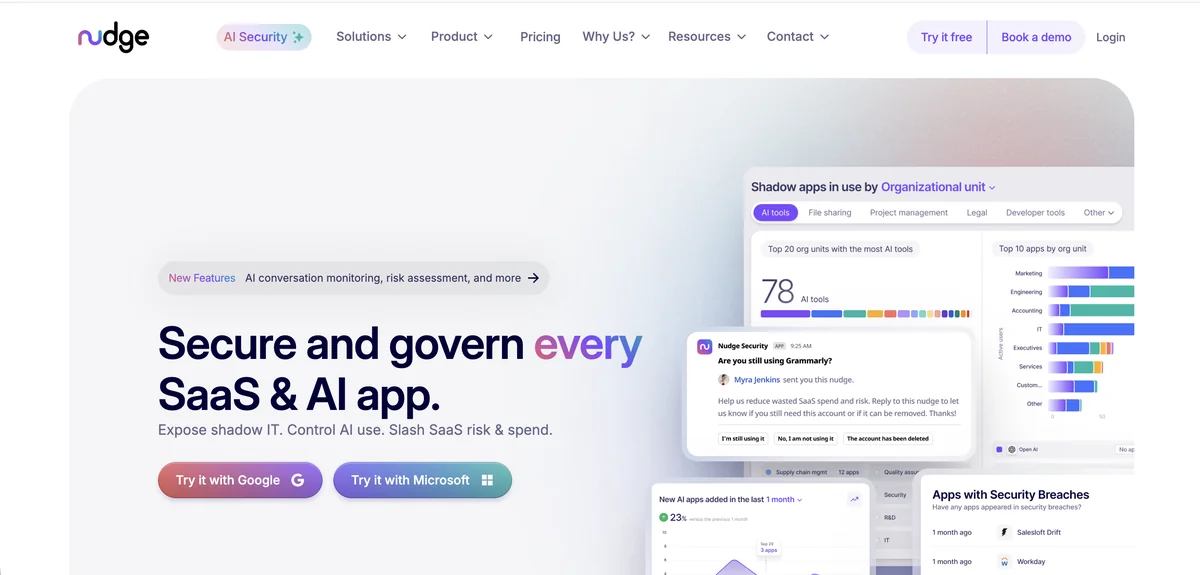
Nudge Security takes a discovery-first approach to SaaS governance that works differently from traditional connector-based platforms. Rather than requiring individual integrations with each application, the platform uses patented email-based discovery to find virtually all SaaS accounts ever created by anyone in your organization. This means Nudge can identify Figma accounts even when design teams sign up independently without IT involvement.
The platform discovers Figma usage through email confirmations, login notifications, and account creation messages. Full historical inventory becomes available within minutes of setup, with no agents, proxies, or browser extensions required. For organizations struggling with shadow IT in their design tooling, this approach surfaces accounts that SCIM-based governance tools would miss entirely because those accounts were never provisioned through official channels.
Nudge Security’s User Access Review Playbook automatically categorizes SaaS applications and creates compliance groupings for audit purposes. Automated nudges prompt users via Slack or email to confirm whether they still need their Figma accounts. The behavioral approach achieves 83% compliance rates compared to 32% with traditional blocking methods, engaging employees rather than fighting against their productivity needs.
Pros:
- Discovers Figma accounts created outside official procurement through email-based detection that finds shadow IT other tools miss
- Full SaaS inventory available in approximately 75 minutes without requiring individual application connectors
- Offboarding Playbook identifies all SaaS access for departing employees, eliminating 90% of manual effort finding abandoned Figma seats
Cons:
- Cannot provision or deprovision Figma accounts directly since the platform focuses on discovery and behavioral nudges rather than SCIM-based automation
- Requires Google Workspace or Microsoft 365 for email-based discovery to function
- Nudges are not mandatory enforcement, meaning users can still ignore prompts if they choose
G2 Rating: 5.0 out of 5 (limited reviews) Gartner Peer Insights: 4.7 out of 5 (22 reviews)
Zluri
Zluri positions itself as a next-generation IGA platform with 300+ pre-built connectors, though Figma integration faces the same barrier that affects most governance tools. Figma locks SCIM and SSO capabilities behind Organization and Enterprise pricing tiers, which Zluri explicitly calls the “SCIM tax” that creates 200% to 300% markup for automated governance features. Organizations already on Figma Enterprise can connect through standard SCIM protocols.
For organizations that can access Figma’s SCIM API, Zluri provides comprehensive access review automation. The platform supports recurring certification campaigns with automated reminders, multi-level reviewer assignments, and bulk approval capabilities for low-risk accounts. Users report reducing full-day audit processes to 30 minutes through the automation, representing roughly 90% time savings compared to spreadsheet-based reviews.
Zluri’s AI-powered risk intelligence identifies orphaned accounts, over-privileged users, and dormant accounts across connected applications. The platform flags high-priority risks so reviewers can focus on critical issues first. Closed-loop remediation means denied access requests trigger automatic deprovisioning through API-based integrations, eliminating the gap between review decisions and actual permission changes.
Pros:
- Multi-level reviewer support enables thorough access reviews with automatic workflow progression between different approval levels
- AI-powered risk identification flags orphaned and over-privileged accounts with real-time activity data for informed decisions
- Closed-loop remediation triggers automatic deprovisioning when reviewers deny access requests
Cons:
- Figma integration requires Organization or Enterprise tier pricing for SCIM access, adding significant cost before governance becomes possible
- Discovery engine may occasionally misidentify applications, requiring manual oversight to correct categorization
- Reporting customization lacks flexibility for specific stakeholder requirements beyond standard templates
G2 Rating: 4.6 out of 5 (175 reviews) Capterra Rating: 4.9 out of 5 (27 reviews)
Oracle Identity Governance
Oracle Identity Governance provides enterprise-grade certification capabilities for organizations with complex hybrid environments. Figma connectivity requires custom configuration through Oracle’s generic REST connector or SCIM-based integration rather than a pre-built connection. Third-party solutions like Aquera also offer Figma connectors compatible with Oracle’s identity management framework.
Oracle brings institutional-level governance developed over nearly two decades of IGA market presence. Access reviews for Figma can be configured as standalone campaigns or incorporated into broader organizational certification cycles covering multiple applications simultaneously. Event-based micro-certifications trigger automatic reviews when job codes, departments, or other attributes change, reducing the window where inappropriate Figma access might persist after role transitions.
Oracle Identity Governance implementations typically span months rather than weeks, with pricing starting at $3,600 per named user or $180,000 per processor. Organizations should expect total investment well into six figures when including professional services and ongoing maintenance.
Oracle Identity Role Intelligence uses machine learning for intelligent role mining, identifying common access patterns and automatically proposing role structures. For design teams with complex Figma permission hierarchies across multiple workspaces, this capability helps rationalize access models that accumulated organically over years of product development.
Pros:
- Event-based micro-certifications trigger automatic Figma reviews when employees change roles or departments, reducing inappropriate access windows
- AI-driven role intelligence identifies optimal permission structures through pattern analysis across similar job functions
- Hybrid deployment flexibility serves organizations with strict on-premise requirements alongside cloud governance needs
Cons:
- No pre-built Figma connector requires custom configuration through generic REST or SCIM frameworks
- Implementation timelines span months rather than weeks, delaying time to value for design tool governance
- High total cost of ownership with pricing starting at thousands per user makes the platform prohibitive for mid-market organizations
G2 Rating: 3.8 out of 5 (71 reviews) Capterra Rating: 4.4 out of 5 (7 reviews)
Omada Identity
Omada Identity offers enterprise IGA capabilities with particular strength in governance-heavy environments requiring extensive compliance documentation. The platform maintains an extensive connector library through their Connectivity Community, though Figma availability requires verification through their portal. Omada supports protocol-based integration that enables connections without coding for applications meeting standard connectivity requirements.
Omada’s 12-week deployment guarantee addresses a critical pain point in the IGA market where traditional implementations drag on for quarters or years. The IdentityPROCESS+ framework provides proven best practices for identity governance that organizations can adopt rather than building processes from scratch. For design teams within larger enterprises, this structured approach ensures Figma governance aligns with broader organizational identity policies.
The platform’s AI assistant “Javi” enables conversational access workflows directly within Microsoft Teams. Entitlement owners can launch access reviews, check compliance status, and remediate risks through natural language commands rather than navigating traditional governance interfaces. Automated access reviews run on scheduled cycles with up to nine layers of approval configurable for sensitive applications.
Pros:
- Guaranteed 12-week implementation timeline delivers faster time to value than most enterprise IGA platforms
- AI assistant Javi enables conversational access reviews through Teams integration without requiring separate governance interface navigation
- 50+ pre-built compliance templates support ISO 27001, GDPR, SOX, and other frameworks with comprehensive audit trails
Cons:
- Figma connector availability requires verification through Omada’s connectivity portal, potentially requiring configuration package development
- Cloud version pricing significantly exceeds on-premise option, creating budget challenges for organizations preferring SaaS deployment
- Large-scale re-certification campaigns can experience performance issues and latency according to user feedback
G2 Rating: 4.5 out of 5 (limited reviews) Gartner Peer Insights: 4.6 out of 5 (211 reviews)
CloudEagle

CloudEagle maintains Figma as one of its 500+ direct integrations, pulling usage data through API connections alongside SSO and finance system analysis. The platform’s multi-layered discovery engine detects Figma accounts across different access points, providing visibility into both sanctioned deployments and shadow instances where teams adopted the tool independently.
CloudEagle’s SaaS Governance Module automates access reviews with AI-powered flagging of overprivileged users, inactive admin accounts, and editors who have not logged in for 90+ days. The platform routes review requests to appropriate managers through configurable rules, with Slack-native workflows enabling approvals without leaving the communication tool teams already use daily. Organizations report 80% reduction in access review time through this automation.
The platform combines governance with procurement and spend management, which proves valuable for Figma where license costs can escalate quickly across growing design organizations. CloudEagle provides benchmarking data against their database of 150,000+ vendors, helping organizations negotiate better Figma pricing while simultaneously ensuring only active users hold seats.
Pros:
- Direct Figma API integration provides usage analytics and license visibility without requiring custom connector development
- Slack-native approval workflows enable reviewers to certify or revoke access without navigating separate governance interfaces
- SOC 2 compliance reports generated in 15 minutes simplify audit preparation for organizations with tight deadlines
Cons:
- No API access limits ability to build custom integrations or extract Figma governance data for specialized reporting tools
- Limited security features beyond access control means organizations needing content scanning or file-sharing permission controls require additional tools
- English-only language support creates barriers for multinational organizations with distributed design teams
G2 Rating: 4.7 out of 5 (150+ reviews) Gartner Peer Insights: 4.6 out of 5 (53 ratings)
How to Choose the Right Figma Access Review Tool
Your choice of platform depends on current Figma tier, governance requirements, technical environment, and budget constraints. Each solution profiled above brings distinct strengths that align better with certain use cases than others.
Organizations seeking end-to-end SaaS governance with direct Figma integration should evaluate Torii, which combines discovery, review workflows, and automated remediation within a single platform. The SCIM-based connection requires Figma Organization or Enterprise tier but delivers comprehensive license and access management once established.
Companies prioritizing rapid shadow IT discovery will find Nudge Security compelling for identifying Figma accounts that escaped official procurement. The email-based approach finds design tool usage that SCIM-dependent solutions miss entirely, letting teams decide whether to bring those accounts under governance or reclaim the seats.
Enterprises with complex hybrid environments and stringent compliance requirements like SOX or HIPAA benefit from Oracle Identity Governance or Omada Identity. These platforms handle governance scenarios that lighter tools cannot address, though the investment in implementation and licensing requires organizational commitment.
CloudEagle suits organizations wanting unified procurement, spend management, and governance functionality across their SaaS portfolio. The direct Figma integration provides usage visibility alongside access reviews, connecting cost optimization with security compliance.
For organizations seeking AI-assisted review efficiency with modern architecture, ConductorOne delivers strong capabilities once custom Figma connector development completes. The Access Copilot reduces reviewer burden while maintaining human oversight that compliance frameworks require.
Torii works well when you want combined SaaS management and identity governance in one platform, with AI-powered shadow IT discovery, automated license remediation, and direct Figma SCIM integration for comprehensive user data.
Most mid-market organizations running Figma alongside dozens of other SaaS applications find that a platform offering AI-powered discovery, automated workflows, and financial governance provides the best balance of compliance capability and operational value. The key consideration is ensuring your Figma tier supports SCIM provisioning, since automated governance depends on that API access.
Frequently Asked Questions
Figma access reviews stop unchecked seat sprawl and unnecessary spend. Organization seats cost about $55 per editor monthly, so an inactive account wastes roughly $660 annually. Regular reviews reclaim licenses, reduce budget leakage, and limit unauthorized access to sensitive design files.
SCIM syncs users, licenses, and workspace permissions directly from Figma but requires Organization or Enterprise tiers and SAML SSO. Email-based discovery detects shadow accounts via signup and notification messages without connectors, offering broader inventory yet limited remediation capability.
Yes, platforms with SCIM or API integrations can automatically revoke or change Figma licenses after a review. Torii, Zluri, and CloudEagle support closed-loop remediation; discovery-only tools like Nudge notify users but cannot deprovision accounts directly.
When choosing a platform, consider your Figma tier (SCIM access), governance complexity, need for shadow IT discovery, automation for remediation, HR and IDP integration, budget, and compliance reporting. Match feature depth to team size and expected time-to-value.
Tools correlate Figma membership with HR records using SCIM, SSO logs, and HR system connectors to pull titles, departments, and employment status. Automated campaigns route manager approvals and reconcile discrepancies, but some mapping still requires manual verification for accuracy.
Common risks include orphaned or dormant editor accounts, contractors retaining admin or editor permissions, over-privileged users, incorrect viewer-restricted assignments, and unnoticed seats that inflate license spend and expose sensitive brand or product files.