

7 GitHub Teams Access Review Vendors Compared in 2026
 Chris Shuptrine
•
Feb 18, 2026
•
17 min read
Chris Shuptrine
•
Feb 18, 2026
•
17 min read

Compare 7 identity governance tools for GitHub Teams access reviews in 2026, covering org membership, team permissions, outside collaborators, and SOC 2 compliance.
Ask about this article
Opens Claude in a new tab to answer, using this article as the source.
Repository permissions in GitHub Teams organizations spread through informal decisions that compound quietly. A developer joins a sprint team, gets added to three organization teams, and gains write access to a dozen repositories in the process. The sprint ends, the teams stay active, and those repository memberships persist indefinitely because no one owns the cleanup.
GitHub uses an additive permissions model across team memberships. When a user belongs to multiple teams with different access levels on the same repository, they inherit the highest permission granted. A developer temporarily added to an admin team for an incident response will retain admin access to every repository owned by that team until someone explicitly removes it, regardless of whether the original reason still applies.
Managing access in a GitHub Teams organization involves more layers than it might first appear. Organization membership controls baseline visibility into private repositories and internal content. Team memberships handle repository access in bulk. GitHub defines five repository roles (Read, Triage, Write, Maintain, and Admin), and a team or a person can hold a different role on each repository. Direct collaborator assignments on individual repositories bypass teams entirely, creating individual-level permissions that are harder to track during quarterly reviews. Contractors land in that gap by design. GitHub’s docs state “Teams can only be made up of members of your organization, outside collaborators are unable to be on a team” (GitHub Docs). Outside contractors added as collaborators during a project engagement often retain access long after their work ends.
The seven platforms reviewed here connect to GitHub through APIs or identity provider integrations to pull membership data, surface dormant accounts, and produce certification evidence for SOC 2, ISO 27001, and other compliance frameworks. Each section covers what the tool does well for GitHub Teams governance, where it falls short, and ratings from G2 and Capterra.
★ = low · ★★ = medium · ★★★ = high
| Tool | Ease | Cost | AI Capabilities | Reviews |
|---|---|---|---|---|
| Torii | ★★★ | ★★ | ★★★ | ★★★ |
| ConductorOne | ★★★ | ★★ | ★★ | ★ |
| Nudge Security | ★★★ | ★★ | ★★ | ★ |
| Zluri | ★★ | ★★ | ★★ | ★★ |
| SailPoint | ★ | ★ | ★★★ | ★★★ |
| MiniOrange | ★★ | ★★★ | ★ | ★★ |
| CloudEagle | ★★ | ★★ | ★★ | ★★ |
Table of Contents
Torii
Torii connects to GitHub Teams through a direct integration that pulls employee names, emails, job titles, departments, user status, and license data into a centralized identity view. For IT teams managing GitHub alongside dozens of other SaaS applications, a single access review dashboard can show that a contractor holds write access to three of your repositories, an active Salesforce seat, and a Figma license, none of which have been reviewed since their project wrapped up. Torii builds that cross-application picture automatically from its connected integrations.
The access review workflow routes certification requests to managers based on organizational hierarchy data pulled from your HRIS, so reviewers see employee context rather than a raw list of GitHub usernames. Torii tracks GitHub license assignments, license types, and user status for each account, making it straightforward to flag seats held by users who show no active status, the same control that carries over to managing Copilot Business and Enterprise plans. The platform’s AI-powered discovery also identifies dormant accounts and shadow access across the broader SaaS stack connected to GitHub through OAuth tokens and integrations.
The default GitHub Teams integration covers license assignments, license types, and employment status for each account, which satisfies most compliance attestation requirements. Torii does not currently surface last-used-date data or granular per-repository historical activity for GitHub Teams, so organizations that need deep repository-level audit trails will want to supplement with GitHub’s native audit log features for those specific paths.
Pros:
- Direct GitHub Teams integration pulls employee names, titles, departments, license status, and user status into one view
- AI-powered discovery identifies orphaned accounts and shadow access across GitHub and connected SaaS tools simultaneously
- Unified SaaS management and identity governance means GitHub reviews occur alongside your entire application stack
- Automated offboarding workflows revoke GitHub access as part of complete deprovisioning across all integrated apps
Cons:
- Enterprise-focused pricing positions it above point solutions built only for access reviews
- Cloud-native architecture means GitHub Teams governance requires cloud deployment without on-premise options
G2 Rating: 4.5/5 (302 reviews)
Capterra Rating: 4.9/5 (26 reviews)
ConductorOne
ConductorOne takes a compliance-first approach to GitHub Teams governance through its Unified Identity Graph, which centralizes membership data from GitHub alongside connected identity providers into a single source of truth. The platform builds a complete map of org membership, team assignments, and repository access grants, giving security teams one place to see all GitHub access paths rather than manually correlating data from multiple sources. In a published case study, System1 took three weeks to connect its identity provider and in-scope apps and launch its first user access review campaign. Jack Chen, System1’s Director of Information Technology, said “I didn’t want something over complicated or that required a lot of configurations to set up and go live.”
The AI-driven decision support component addresses a familiar problem in developer-heavy organizations: reviewer fatigue from access review campaigns that present identical access decisions with no supporting context. ConductorOne flags high-risk access grants, surfaces anomalous permission patterns, and handles routine low-risk certifications automatically so reviewers can concentrate on elevated-privilege accounts like GitHub organization admins and repository owners. Just-in-time access controls offer an alternative to persistent team memberships for sensitive codebases, converting standing access into time-bound grants.
One limitation applies to GitHub Teams review scenarios that organizations should understand before deploying. ConductorOne can flag and remove access that reviews identify as unnecessary, but the current platform does not offer a permission downgrade option within review workflows. If a reviewer determines a developer should have triage access rather than write access on a repository, the workflow handles revocation but not direct modification of the permission level.
Pros:
- AI agents handle routine GitHub certifications automatically, focusing reviewer attention on elevated-privilege accounts
- Just-in-time access converts persistent GitHub team memberships into time-limited grants for sensitive repositories
- Short time to first campaign, with System1 launching its first user access review three weeks after connecting its apps
Cons:
- Review workflows handle revoke or retain decisions but cannot downgrade GitHub permission levels during the review process
- Advanced configurations using Terraform and the API require technical expertise that less technical teams may not have
- Only 13 G2 reviews makes independent validation harder compared to platforms with hundreds of public ratings
G2 Rating: 4.8/5 (13 reviews)
Nudge Security
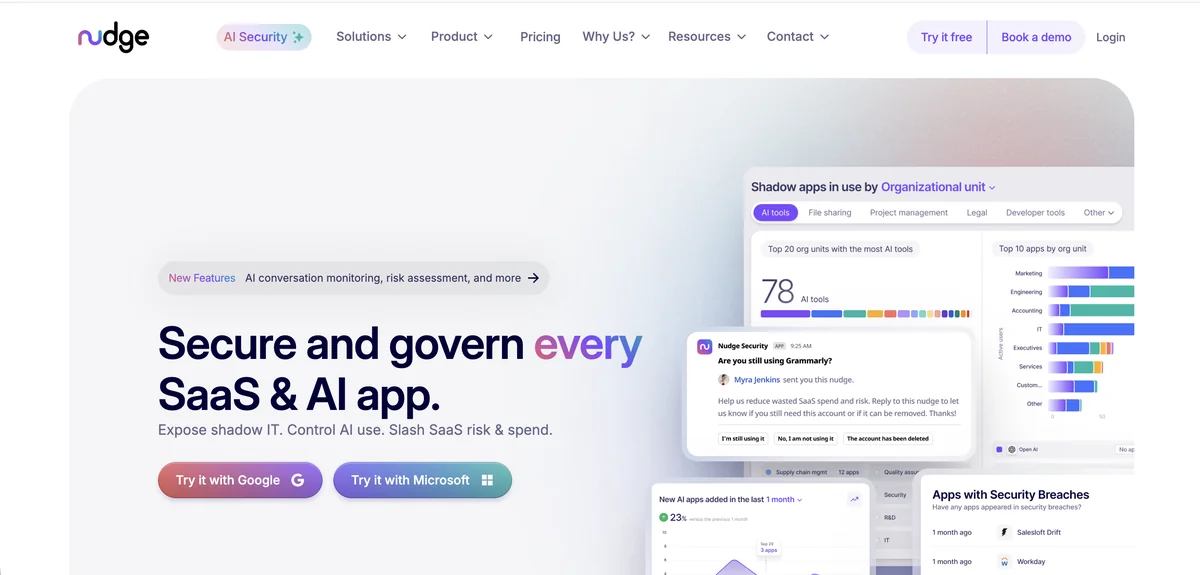
Standard API connectors for GitHub governance can only surface what the API can see, which leaves personal accounts used for work-related repositories and unsanctioned shadow projects completely invisible. Nudge Security closes that gap using its patented email-based detection, monitoring authentication emails and login notifications to build a full inventory of every GitHub account in your organization, including accounts that were never officially provisioned through IT. For security teams that care about code living in unauthorized locations, that coverage is genuinely hard to get through connector-based approaches alone.
The security posture management features extend into GitHub-specific risk territory beyond basic membership tracking. Nudge Security checks for overly permissive settings, monitors third-party OAuth applications that developers connect to their GitHub organizations (including CI/CD tools, code quality scanners, and AI coding assistants that often request broad repository scopes), and flags dormant contributor accounts across both sanctioned and unsanctioned repositories. When access reviews run, behavioral nudges sent via Slack or email prompt users to confirm whether they still need their access. Nudge reports that customer KarmaCheck cut user access review time by 66% with this approach.
The platform has meaningful constraints for organizations with strict mandatory review requirements. Nudge Security’s behavioral approach relies on users responding voluntarily to nudges rather than enforcing mandatory revocation, and the email-based discovery mechanism requires Google Workspace or Microsoft 365. Organizations not running either of those email platforms cannot use the core discovery feature.
Pros:
- Discovers shadow GitHub accounts and personal repositories used for work that connector-based tools cannot reach
- Monitors OAuth apps connected to GitHub organizations, flagging AI coding tools and CI/CD integrations with excessive permission scopes
- Slack and email nudges send access confirmations straight to the people who hold the access, which shortens review cycles
Cons:
- Discovery requires Google Workspace or Microsoft 365 as the underlying email platform, limiting deployment flexibility
- Cannot force access revocation since compliance depends on users responding to nudges
- Limited volume of public reviews makes independent validation harder for procurement teams evaluating vendors
G2 Rating: 5.0/5 (limited reviews)
Gartner Rating: 4.7/5 (22 reviews)
Zluri
Zluri connects to GitHub Teams through its multi-method discovery engine, pulling organization membership, team assignments, and user data through API integrations and SSO group mapping. For GitHub Teams organizations managing access through identity providers like Okta or Azure Active Directory, the platform pulls in group membership context alongside direct GitHub data to produce a more complete picture of who has access through which paths. Users report that full-day audit processes shrink to around 30 minutes after deploying Zluri’s automated review workflows.
Multi-level reviewer support addresses a common organizational reality in GitHub Teams governance: access decisions often involve input from team leads, security reviewers, and department managers rather than a single approver. Zluri routes certification requests through configurable multi-step approval workflows, with automated reminders keeping reviews on schedule. The activity intelligence layer shows actual GitHub usage data, helping reviewers distinguish between developers committing code regularly and accounts holding license assignments that show no meaningful activity.
Reporting flexibility is one area where the platform has room to grow. Standard compliance outputs cover common frameworks, but organizations with specific stakeholder formats or non-standard audit evidence requirements may find the pre-built reports insufficient. Zluri does not publish pricing publicly, so a sales conversation is required before any meaningful budget assessment.
Pros:
- Activity intelligence shows actual GitHub usage alongside license status for more informed review decisions
- Multi-level reviewer workflows accommodate GitHub access decisions that require sign-off from multiple stakeholders
- Bulk review capabilities handle large GitHub organization membership lists without requiring individual manual decisions
- One-click remediation deprovisions users across GitHub and connected systems from a single review completion action
Cons:
- Report customization is limited for organizations with specific compliance documentation formats or audit requirements
- No public pricing means budget evaluation requires engaging sales before any meaningful assessment can happen
G2 Rating: 4.6/5 (175 reviews)
Capterra Rating: 4.9/5 (27 reviews)
A complete GitHub Teams access review covers three distinct channels: organization membership (who is in the org), team membership (which teams users belong to and what repository access that grants), and direct collaborator assignments (individual-level permissions that bypass team structures entirely). Outside collaborators, GitHub Apps, and OAuth integrations add additional layers that many access review processes miss. Most compliance frameworks require documented reviews of all three channels, not just the identity-provider-managed portions.
SailPoint IdentityIQ

SailPoint IdentityIQ connects to GitHub through its enterprise connector library, supporting both GitHub Teams and GitHub Enterprise organizations within its governance framework. For large enterprises already running SailPoint for SAP, Workday, Oracle, and other core systems, extending existing certification campaigns to cover GitHub Teams access fits naturally into review cycles that already occur. SailPoint’s peer group analysis and ML-driven certification recommendations address the scale challenge that comes with auditing hundreds of GitHub team memberships, flagging users whose access looks anomalous compared to colleagues in similar roles.
The AI-powered outlier detection is among the more mature implementations available in the IGA category. The machine learning compares users with peers based on role, department, and observed access patterns, surfacing accounts with GitHub permissions that deviate significantly from what others in similar positions hold. This reduces the rubber-stamping that plagues large-scale access reviews and focuses certifier attention on the accounts where human judgment actually adds value.
The trade-offs are significant for organizations evaluating SailPoint specifically for GitHub Teams governance. Average annual costs run around $240,000, with professional services often matching or exceeding the software investment. Implementations typically take six to twelve months and require dedicated IAM expertise to configure. Mid-market teams or organizations seeking GitHub-focused governance will find the complexity and cost profile difficult to justify without a broader enterprise IGA need.
Pros:
- ML-driven peer group analysis surfaces GitHub permission anomalies in large organizations where manual review is impractical
- Extends existing SailPoint certification campaigns to cover GitHub alongside SAP, Workday, and other governed systems
- 1,100+ connectors handle complex enterprise environments where GitHub is one of many applications requiring governance
Cons:
- Average annual cost of approximately $240,000 makes it impractical for organizations evaluating GitHub-specific governance tooling
- Six to twelve month implementations require dedicated IAM resources most mid-market teams do not have available
- Steep learning curve and configuration complexity require extensive technical training to operate effectively
- Over-engineered for organizations whose primary governance requirement is GitHub Teams access management
G2 Rating: 4.5/5 (161 reviews)
Capterra Rating: 4.2/5 (21 reviews)
MiniOrange
MiniOrange has built deep integration support for the GitHub ecosystem alongside its broader IAM platform, including SCIM provisioning for automated user lifecycle management in GitHub Teams organizations. When a developer is onboarded or offboarded, the SCIM integration handles account creation and deprovisioning in GitHub without requiring manual intervention, reducing the window between a status change and the corresponding access update. For development teams running Jira, Confluence, and Bitbucket alongside GitHub, MiniOrange covers all of these from a single IAM platform, which cuts down the number of identity vendors a team needs to manage.
The access governance automation component routes GitHub access requests through Jira Service Management, allowing employees to submit repository access or team membership requests through a familiar portal. Policy-based rules determine the correct approver based on team structure or project ownership, and completed approvals trigger provisioning automatically. At $2 to $3 per user per month, MiniOrange offers accessible pricing for smaller organizations that need structured GitHub access governance without the cost of enterprise IGA tools.
The platform’s access certification features are less mature than purpose-built IGA platforms. MiniOrange handles provisioning, deprovisioning, and access request workflows effectively, but recurring certification campaigns with manager attestations represent a less developed capability. Organizations whose primary compliance requirement is periodic access reviews with formal evidence trails may find the governance automation component requires supplemental tooling.
Pros:
- SCIM provisioning automates GitHub account creation and removal based on organizational lifecycle events without manual steps
- Jira-based access request workflows let developers request GitHub permissions through an existing approval process
- Pricing at $2-$3 per user monthly makes structured GitHub governance accessible to teams that cannot justify enterprise IGA costs
Cons:
- Access certification campaign features are less developed than purpose-built IGA platforms for periodic review workflows
- Primary governance automation requires Jira Service Management, which introduces a tooling dependency
- Customer support quality has varied significantly across user reports, creating uncertainty for governance-critical deployments
G2 Rating: 4.5/5 (264+ reviews)
Capterra Rating: 4.5/5 (36 reviews)
CloudEagle
CloudEagle connects to GitHub Teams through its SaaS governance module, pulling organization membership and access data from SSO integrations and identity providers to build a picture of who has access and what that covers. Speed is CloudEagle’s main selling point for teams running access reviews under time pressure: review processes that previously required hours now complete in minutes according to user feedback, and compliance reports generate in around 15 minutes rather than the hours that manual documentation requires. For teams working through a SOC 2 audit on a tight timeline, that operational speed has concrete value.
The Slack-native workflow component reduces friction for developer-heavy organizations where GitHub is central to daily work. Access review requests, approvals, and provisioning updates happen directly within Slack without requiring team leads or developers to navigate a separate governance portal. CloudEagle’s own description of its review logic reads “We flag overprivileged users, inactive admin accounts, and any users who haven’t logged in for 90 days” (CloudEagle blog). Administrators can then put review effort on those accounts first.
A few real-world constraints apply for organizations with more complex GitHub governance requirements. CloudEagle does not provide API access for custom integrations or data exports, limiting what teams can build on top of the platform. The English-only interface creates barriers for global teams, and some users report a steeper initial learning curve than the platform’s simplicity focus would suggest.
Pros:
- Access review automation delivers significant time reduction, with compliance report generation measured in minutes rather than hours
- Slack-native approval workflows let managers handle GitHub certification tasks without leaving their primary communication tool
- AI-powered flagging of overprivileged and inactive GitHub accounts focuses review attention on genuine risk cases
- SOC 2 compliance documentation preparation can complete in around 72 hours according to published customer case studies
Cons:
- No API access limits integration flexibility for organizations that need governance data in other systems
- English-only support restricts use for global organizations with multilingual teams managing GitHub access
- Initial platform setup involves a learning curve that extends the onboarding timeline beyond initial expectations
G2 Rating: 4.7/5 (150+ reviews)
Gartner Rating: 4.6/5 (53 reviews)
How to Choose
The right GitHub Teams access review platform depends primarily on whether GitHub governance is a standalone need or part of a broader SaaS management challenge. If your team manages dozens of applications alongside GitHub and needs a platform that handles identity governance and SaaS spend together, a combined platform like Torii reviews GitHub access alongside the rest of your application stack.
Confirm whether the platform connects directly to the GitHub Teams API or relies entirely on your identity provider for membership data. Ask whether it surfaces outside collaborators and direct repository permissions, not just team-level access. Find out what evidence it produces for SOC 2 or ISO 27001 auditors, and whether recurring certification campaigns can run on a schedule without manual setup each cycle.
Organizations with formal compliance programs and tight timelines tend to favor ConductorOne or CloudEagle, where certification campaigns can run within days of initial configuration and produce audit evidence without extended setup periods. Larger enterprises already running SailPoint for SAP or Workday governance may find extending existing campaigns to include GitHub Teams the lowest-friction option. For teams where shadow IT discovery matters most, Nudge Security surfaces GitHub accounts and OAuth integrations that connector-based platforms cannot reach.
The pricing gap across these platforms is significant, and it shapes what’s actually viable for most teams. Enterprise IGA platforms like SailPoint require six-figure annual investments and months of implementation work. MiniOrange and CloudEagle offer mid-market pricing that makes structured governance accessible without heavy upfront investment. Torii’s per-employee model fits organizations that want SaaS spend, license reclamation, and identity governance from one vendor instead of a narrower access review tool.
Frequently Asked Questions
GitHub uses an additive model: a user inherits the highest permission granted across all team memberships. Temporary additions (for incidents or sprints) remain until someone explicitly removes them, so privileges can persist long after the original need ends.
A complete GitHub Teams review covers organization membership, team memberships that grant repository access, and direct collaborator assignments that bypass teams. Also include outside collaborators, GitHub Apps, and OAuth integrations which many processes miss.
Combine API-based connectors with email notification monitoring to find shadow accounts. Tools like Nudge Security inspect authentication emails and login notices to surface personal or unprovisioned accounts; this approach typically requires Google Workspace or Microsoft 365 for email visibility.
Verify whether the platform connects directly to the GitHub Teams API or relies on your identity provider, whether it surfaces outside collaborators and direct repo permissions, what evidence it exports for audits, and whether recurring certification campaigns can run automatically.
Some platforms can only revoke access rather than modify permission levels because their review workflows lack an API-driven downgrade action. If you need permission changes (for example write to triage), confirm the tool supports permission edits or plan an automated remediation step.
Governance platforms produce compliance evidence by exporting membership snapshots, certification logs, reviewer attestations, and license or user status reports. For deep repository activity or last-used dates, supplement with GitHub's audit logs since some tools don't capture granular per-repo history.