

Comparing 9 Dropbox Access Certification Tools in 2026
 Chris Shuptrine
•
Jan 16, 2026
•
16 min read
Chris Shuptrine
•
Jan 16, 2026
•
16 min read

Compare nine platforms for certifying Dropbox access in 2026, from SaaS governance tools to enterprise IGA solutions with AI-powered automation.
Ask about this article
Opens Claude in a new tab to answer, using this article as the source.
File storage platforms present distinct governance challenges that go beyond typical application access reviews. Dropbox contains documents, contracts, customer data, and intellectual property that employees share internally and externally with few guardrails. A sales rep who joined three years ago may still have access to an executive folder from a project that ended long ago. An intern from the marketing team might retain permissions to a finance folder where they collaborated briefly on a budget presentation.
Dropbox stores sensitive documents including contracts, financial records, and customer data. Over-permissioned accounts create compliance exposure under SOC 2, GDPR, and industry regulations that require demonstrable access controls for file storage systems.
Dropbox provides team folders, shared links, and granular permission settings that administrators configure individually but rarely audit at scale. Someone might have edit access to a folder through direct assignment, team membership, and shared link access simultaneously. The Dropbox admin console shows current permissions but cannot correlate this data with job responsibilities or flag accounts that have accumulated access beyond their role. External collaborators add another layer of complexity where contractors and partners retain access long after engagements conclude.
Third-party governance platforms address these gaps by connecting to Dropbox APIs, identity providers, and HR systems to build comprehensive access maps. Some focus on Dropbox as one application in a broader SaaS governance strategy while others specialize in deep permission analysis. This article examines nine platforms for Dropbox access certification in 2026, covering discovery methods, certification workflows, and remediation capabilities.
★ = low · ★★ = medium · ★★★ = high
| Tool | Ease | Cost | AI Capabilities | Reviews |
|---|---|---|---|---|
| Torii | ★★★ | ★★ | ★★★ | ★★★ |
| Veza | ★★ | ★ | ★★★ | ★★ |
| Lumos | ★★★ | ★★ | ★★★ | ★★ |
| Zluri | ★★★ | ★★ | ★★ | ★★★ |
| SAP | ★ | ★ | ★★ | ★★ |
| Saviynt | ★★ | ★★ | ★★★ | ★★★ |
| Omada | ★★ | ★ | ★★ | ★★★ |
| CloudEagle | ★★★ | ★★ | ★★ | ★★ |
| Avatier | ★★ | ★★★ | ★★ | ★★ |
Table of Contents
Torii
Torii treats Dropbox governance as one component of unified SaaS management rather than an isolated file storage problem. The platform discovers Dropbox users through multiple data sources including SSO integrations, direct API connections, and browser extension telemetry that captures access patterns beyond what authentication logs reveal. For organizations running Dropbox alongside dozens of other enterprise applications, this consolidated visibility helps identify users who access files through multiple paths or retain permissions across systems that should have been revoked together.
The Torii integration with Dropbox surfaces employee names, email addresses, job titles, departments, user status, license assignments, license types, and historical usage patterns. This depth enables access reviews that examine whether folder permissions align with current job functions and actual usage. When a marketing coordinator moves to the sales team, Torii can flag their continued access to marketing folders and route the certification decision to the appropriate manager through automated workflows.
Access certification campaigns in Torii leverage AI to flag suspicious patterns and route review decisions to stakeholders who understand the business context. The platform supports in-place attestations where managers certify or revoke Dropbox access without switching contexts, bulk review capabilities for processing multiple users efficiently, and automated remediation that adjusts permissions based on certification outcomes. For compliance teams preparing for SOC 2 or ISO 27001 audits, Torii maintains immutable audit trails with timestamps documenting every access decision made during certification campaigns.
Pros:
- Comprehensive discovery across multiple data sources catches shadow access that single-source tools miss
- AI-powered anomaly detection surfaces unusual Dropbox access patterns for priority review
- Combined SaaS management and identity governance eliminates need for separate file storage tools
- Strong integration ecosystem with 170+ deep integrations beyond just Dropbox
Cons:
- Enterprise pricing may exceed budgets for smaller organizations with minimal SaaS portfolios
- Cloud-only platform requires organizations to be comfortable with SaaS delivery model
G2 Rating: 4.5 out of 5 stars (302 reviews) Capterra Rating: 4.9 out of 5 stars (26 reviews)
Veza
Understanding effective permissions in Dropbox requires more than listing who belongs to which folder. Veza addresses this through its authorization graph technology that maps the actual capabilities each user holds across shared folders, team memberships, and external sharing links. The platform translates complex Dropbox permission structures into plain language by expressing access as Create, Read, Update, and Delete operations that reviewers can evaluate without decoding abstract role names.
For Dropbox certification campaigns, Veza provides risk-based sorting that surfaces the highest-risk access first. Accounts with admin privileges, external collaborators with broad folder access, and users with toxic permission combinations receive immediate attention. The platform tracks whether permissions are actively used, enabling reviewers to confidently revoke access knowing that no one has actually opened those folders in months.
The acquisition by ServiceNow in December 2024 positions Veza for deeper workflow integrations that could benefit Dropbox governance. The platform supports user-centric reviews covering all of someone’s Dropbox access, resource-centric reviews examining everyone with access to sensitive folders, and on-demand microcertifications triggered by role changes or suspicious activity.
Pros:
- Authorization graph shows effective Dropbox permissions translated to understandable terms
- Activity tracking reveals whether granted access is actually being used
- Risk-based prioritization focuses reviewer attention on highest-impact access first
Cons:
- Enterprise-only pricing with no public pricing information available
- Limited public reviews compared to more established competitors
- Requires dedicated team to manage and optimize the platform effectively
Gartner Peer Insights: 4.9 out of 5 stars (29 reviews)
Lumos
Most access review platforms still rely heavily on human reviewers to approve or deny every permission individually. Lumos takes a different approach with its Albus AI agent that handles routine Dropbox certification decisions autonomously by analyzing peer group patterns and usage anomalies. Human reviewers focus on exceptions and edge cases while the AI processes obvious approvals and denials based on whether folder access aligns with what colleagues in similar roles typically hold.
The platform integrates with Slack and Teams to deliver certification workflows where reviewers approve or deny Dropbox access without leaving their collaboration tools. This approach reduces friction that often delays certification campaigns when reviewers must log into unfamiliar governance dashboards. Lumos reports completing reviews seven times faster through this combination of AI automation and conversational interfaces.
Delta reviews in Lumos focus only on Dropbox access changes since the last certification cycle, dramatically reducing review fatigue for organizations with large user populations. Rather than re-certifying hundreds of stable permissions, reviewers examine only new folder access, modified sharing settings, and recently added external collaborators.
Pros:
- AI agent automates routine certification decisions using peer group analysis
- Slack and Teams integration enables approvals without switching contexts
- Delta reviews reduce workload by focusing only on access changes
Cons:
- Learning curve takes longer than marketing materials suggest
- No live chat support makes complex issue resolution slower
- SaaS focus creates gaps for organizations with hybrid environments
G2 Rating: 4.7 out of 5 stars (54 reviews) Gartner Peer Insights: 4.7 out of 5 stars (47 reviews)
Zluri
Discovering all Dropbox access requires looking beyond what the admin console reveals. Zluri accomplishes this through a patented discovery engine that aggregates data from Dropbox APIs, SSO providers, HRIS systems, and browser agents simultaneously. The result is a comprehensive access map that includes sanctioned accounts, shadow access from personal Dropbox usage, and external collaborators that other tools might miss.
For Dropbox access reviews, Zluri supports multi-level reviewer workflows where folder owners, department managers, and security teams each certify appropriate permissions within their scope. Automated reminders prevent certification delays, and bulk approval capabilities help reviewers process low-risk access efficiently. Users report reducing full-day audit processes to thirty minutes through the platform’s automation.
The closed-loop remediation in Zluri means that certification decisions translate directly into Dropbox permission changes. When a reviewer rejects access, the platform can automatically deprovision that user from the folder through API integration rather than creating tickets for manual IT action.
Pros:
- Patented discovery engine provides comprehensive Dropbox access visibility
- Multi-level reviewer workflows support complex approval hierarchies
- Closed-loop remediation automates deprovisioning after certification decisions
- Customer support receives consistently high ratings from users
Cons:
- Some niche applications lack native integration support
- Reporting customization options could be more flexible
- Discovery engine occasionally misidentifies applications
G2 Rating: 4.6 out of 5 stars (175 reviews) Capterra Rating: 4.9 out of 5 stars (27 reviews)
SAP Cloud Identity Access Governance
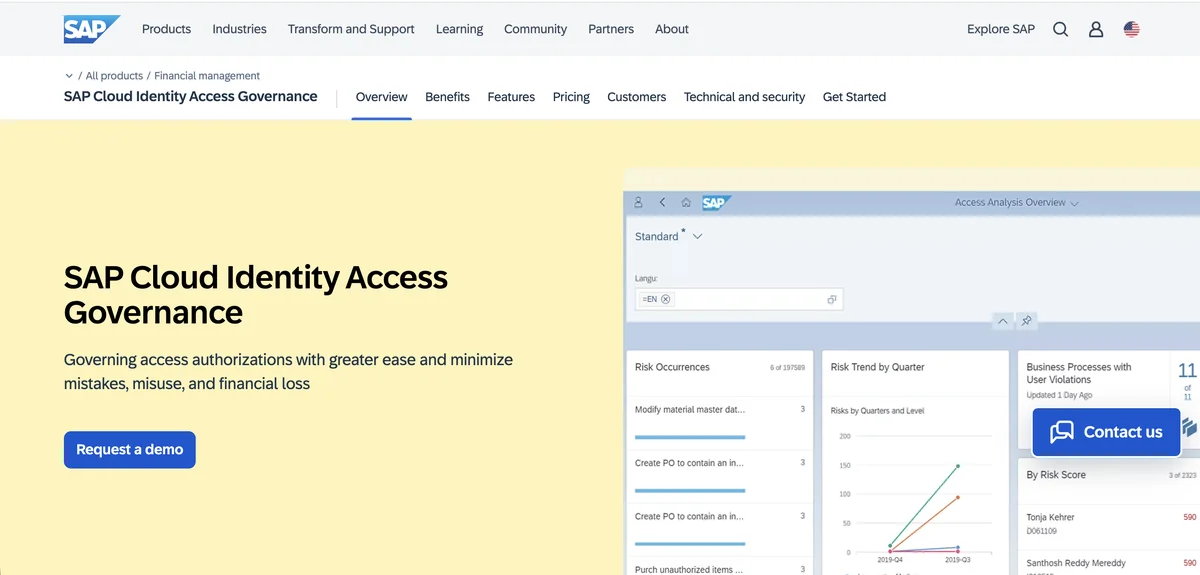
SAP Cloud Identity Access Governance extends enterprise governance controls to cloud applications like Dropbox through SCIM-based integrations. The platform appeals primarily to organizations with existing SAP investments who want to consolidate governance across their application portfolio. The dashboard-driven interface provides campaign progress tracking, reviewer assignment, and deadline enforcement through familiar SAP workflows.
For Dropbox certification, SAP IAG supports both periodic reviews and event-triggered microcertifications. When employees change roles or departments, the platform can automatically initiate a Dropbox access review rather than waiting for the next scheduled campaign. This reduces the window where inappropriate access persists after organizational changes.
The Access Control bridge capability allows organizations to maintain their on-premise SAP GRC investments while extending governance to cloud applications. This hybrid approach positions SAP IAG for enterprises managing both legacy systems and modern SaaS tools who prefer a single governance platform rather than multiple point solutions.
Pros:
- Native integration with SAP ecosystem provides unified governance experience
- Event-triggered microcertifications review access immediately after role changes
- Hybrid bridge connects on-premise and cloud governance in single platform
Cons:
- Limited workflow customization compared to on-premise SAP Access Control
- Complex platform requires specialized SAP knowledge to optimize
- Enterprise pricing creates barriers for organizations outside SAP ecosystem
- Public cloud only deployment limits options for some organizations
Gartner Peer Insights: 4.4 out of 5 stars (114 reviews)
When evaluating governance platforms for Dropbox, verify whether the connector supports folder-level permission visibility. Some integrations only show application-level access without granular insight into specific folder permissions and sharing settings.
Saviynt
Saviynt delivers continuous compliance for Dropbox through always-on evaluation that detects risks automatically rather than waiting for periodic certification cycles. The platform combines identity governance with privileged access management on a single code base, providing unified workflows for both standard user access and admin account reviews.
AI-powered trust scoring in Saviynt automates low-risk Dropbox certification decisions while flagging anomalies for human review. The platform reports reducing approver workload by up to 75% through intelligent automation and predicting correct access with 94% accuracy based on peer group analysis. For Dropbox specifically, this means identifying users whose folder access diverges significantly from colleagues in similar roles.
Mobile certification capabilities allow managers to review Dropbox access from any device, addressing a common complaint about governance platforms that require desktop access to specialized dashboards. The platform reports 60% improvement in review completion times through this combination of AI assistance and mobile accessibility.
Pros:
- Unified IGA and PAM on single platform eliminates need for separate admin account governance
- AI trust scoring reduces approver workload while maintaining accuracy
- Mobile certification enables reviews from any device
- Four consecutive years as Gartner Peer Insights Customers’ Choice
Cons:
- Customer support receives mixed reviews for complex issue resolution
- Steep learning curve despite user-friendly frontend interface
- High total cost of ownership when implementation services are included
- Product stability issues reported with workflows occasionally breaking
Gartner Peer Insights: 4.8 out of 5 stars (185 reviews)
Omada Identity
Omada has built its reputation on governance-heavy environments where compliance requirements drive identity management decisions. The Copenhagen-based company offers a cloud-native IGA platform with particular strength in automated access certifications and comprehensive audit reporting. Their 12-week deployment guarantee positions them as a faster alternative to traditional IGA implementations.
For Dropbox access reviews, Omada provides automated data gathering that eliminates manual collection of access information. Certification campaigns can span multiple applications in a single review, allowing managers to certify an employee’s Dropbox access alongside their permissions in other file storage and collaboration systems. The AI assistant Javi enables entitlement owners to launch Dropbox access reviews directly from Microsoft Teams.
The platform maintains comprehensive audit trails with 50+ pre-built report templates supporting ISO 27001, GDPR, SOX, and other regulatory frameworks. This reporting depth helps organizations demonstrate Dropbox governance controls during compliance audits without extensive manual documentation effort.
Pros:
- Industry-leading 12-week deployment guarantee accelerates time to value
- AI assistant Javi enables access reviews from within Microsoft Teams
- Strong governance capabilities with 50+ compliance report templates
- Exceptional audit trail architecture that archives every process step
Cons:
- Large-scale recertification campaigns can experience performance latency
- Cloud version pricing significantly higher than on-premises deployment
- Custom reporting options more limited than some competitors offer
- Documentation and training resources need improvement
Gartner Peer Insights: 4.6 out of 5 stars (211 reviews)
CloudEagle
CloudEagle combines SaaS management with access governance through Slack-native workflows that reduce friction in certification campaigns. The platform auto-collects user and app access data from SSO providers, identity platforms, and 500+ direct connectors including Dropbox integration that surfaces granular permission visibility.
For Dropbox certification, CloudEagle AI automatically flags overprivileged users, inactive admin accounts, and external collaborators who have not accessed shared folders in 90+ days. This intelligent prioritization helps reviewers focus on high-risk access rather than processing hundreds of stable permissions manually. The platform reports 80% reduction in time spent on user access reviews.
The modular pricing model lets organizations purchase governance capabilities separately from SaaS management and procurement modules. This flexibility appeals to teams that need Dropbox access certification without necessarily requiring spend optimization or vendor negotiation features.
Pros:
- Slack-native workflows enable approvals without leaving collaboration tools
- AI flags overprivileged users and inactive admin accounts automatically
- 500+ direct integrations ranked second among vendors in Gartner report
- Modular pricing allows purchasing only needed capabilities
Cons:
- Steep learning curve for complex features during implementation
- User interface navigation receives criticism from some reviewers
- No API access limits custom integration and automation options
- English-only language support creates barriers for global organizations
G2 Rating: 4.7 out of 5 stars (150+ reviews) Gartner Peer Insights: 4.6 out of 5 stars (53 reviews)
Avatier
Avatier takes a distinctive approach with its containerized Identity Anywhere platform that deploys on any cloud provider, on-premises infrastructure, or hybrid combination. The company has served customers for over 25 years, with some organizations reporting partnerships spanning more than 15 years. For Dropbox access reviews, Avatier offers Access Certification Snapshot functionality alongside delta certification capabilities.
The delta certification approach addresses review fatigue by examining only Dropbox permissions that changed since the last audit cycle. Rather than re-certifying every folder access relationship quarterly, reviewers focus on new permissions, modified sharing settings, and recently added collaborators. This targeted approach reduces certification time while maintaining compliance coverage.
Multi-channel access allows reviewers to certify Dropbox permissions from any device including iOS, Android, and through native integrations with Microsoft Teams, Outlook, and Slack. The all-in-one platform combines IGA with SSO, MFA, and password management, often resulting in lower total cost of ownership compared to assembling equivalent capabilities from multiple vendors.
Pros:
- Delta certification reviews only changed permissions, reducing reviewer fatigue
- Containerized architecture deploys on any cloud without vendor lock-in
- All-in-one platform combines IGA, SSO, and password management
- Dramatic help desk reduction reported by customers (80-90% fewer calls)
Cons:
- Interface complexity can overwhelm new users without proper training
- Smaller market presence means fewer community resources than larger vendors
- Does not appear in Gartner Magic Quadrant or Forrester Wave analyst reports
- Some workflows require multiple steps or separate interfaces
G2 Rating: 4.6 out of 5 stars (31 reviews) TrustRadius: 9.1 out of 10
How to Choose a Dropbox Access Certification Platform
Selecting the right platform depends on your organization’s existing technology investments and compliance requirements. Organizations already standardized on SSO providers like Okta may find platforms with strong IdP integration provide the smoothest path to Dropbox governance. Enterprises with SAP investments might gravitate toward SAP IAG for unified governance across their application portfolio.
Consider Dropbox connector depth (application vs folder-level visibility), certification workflow flexibility, AI automation capabilities, compliance reporting templates, and total cost including implementation when comparing platforms.
For organizations prioritizing unified SaaS governance alongside file storage administration, Torii offers a combined approach that treats Dropbox as one component of broader technology portfolio oversight. The platform’s AI-powered discovery and anomaly detection surfaces access issues that point solutions focused solely on Dropbox might miss. Companies seeking rapid deployment with strong governance capabilities may find Omada’s 12-week implementation guarantee attractive compared to traditional IGA projects.
Budget considerations matter significantly in this space. Enterprise IGA platforms can cost thousands per user annually, while cloud-native alternatives offer more accessible pricing for mid-market organizations. Avatier’s fixed-bid implementation model eliminates professional services cost uncertainty that affects many IGA deployments. Evaluate total cost of ownership including implementation, training, and ongoing administration rather than focusing solely on licensing fees when comparing platforms for your Dropbox access certification requirements.
Frequently Asked Questions
Dropbox houses contracts, financial records, customer data, and IP. Regular access reviews reduce over-permissioned accounts, lower compliance exposure (SOC 2, GDPR), and limit data leakage from former employees, contractors, or misconfigured shared links.
Platforms combine Dropbox API scans, SSO and IdP integrations, HRIS and provisioning feeds, browser agents, and telemetry to map effective permissions, team memberships, shared links, and historical usage that admin consoles often miss.
AI speeds certification by prioritizing risky access, auto-approving routine permissions, running delta reviews, and surfacing anomalies for human approval. Automation can route attestations to owners, close the remediation loop via API changes, and produce audit trails for compliance.
Verify connector depth: folder-level permission visibility, shared link and external collaborator detection, effective permissions across team memberships, activity timestamps, and whether the connector supports automated remediation, bulk actions, and immutable certification audit logs.
Match platform strengths to your environment: choose unified SaaS governance if you manage many apps and want consolidated visibility; consider specialized deep-permission tools if Dropbox folder-level analysis and advanced authorization graphs are top priorities. Factor integration, cost, and deployment speed.
Governance platforms identify external collaborators, flag inactive or unused access, trigger microcertifications after role changes, and can automatically deprovision permissions via Dropbox APIs. This reduces lingering access risk from contractors, partners, and former employees.